
Key facts
Start here
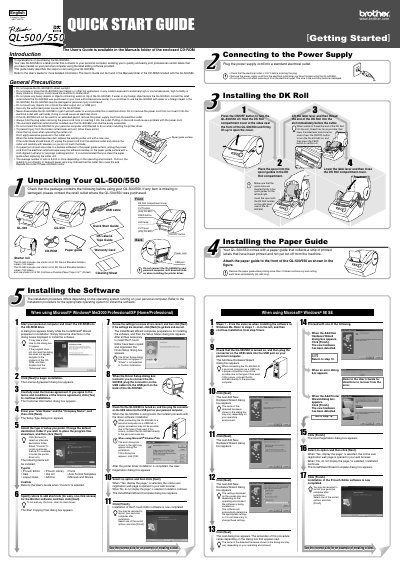
Brother QL-500/550 Label Printer Quick Start Guide
This document serves as a Quick Start Guide for the Brother QL-500/550 label printer. It outlines the essential steps to get the device up and running, including unpacking, installing the paper guide and DK Roll, and connecting the power supply. The guide also details the software installation process for Microsoft Windows operating systems.
Read onlineBrother QL-550 specifications
| Printing speed | Max 90 mm/sec, 50 labels/min (standard address labels) |
|---|---|
| Maximum printing width | 2.3 in (59 mm) |
| Print head resolution | 300 dpi / 720 dot |
| Interface | USB 1.1 protocol |
| Power source | AC 120 V 60 Hz (0.8 A) |
| Dimensions | 5‑3/4" W × 7‑3/4" D × 6" H (146 × 196 × 152 mm) |
| Weight | Approx. 2.8 lb (1.3 kg) without DK rolls |
| Cutter type | Automatic cutter (QL‑550) / Manual cutter (QL‑500) |
All Brother QL-550 documents by type
Day-to-day operation, settings and troubleshooting. Start here if the product is already set up.
The shortest path to a working setup, usually only a few pages.
Questions answered in these manuals
What electrical voltage must be checked before plugging in the QL-500/550?
You must check that the electrical outlet is 120 V before inserting the plug.
How many labels are included in the starter roll for the QL-500?
The QL-500 includes one starter roll containing 100 labels.
What should be checked when unpacking the QL-500/550?
Verify that the package contains all listed items before using the printer.
How do I install the software for the QL-500/550?
Run the installation program from the supplied CD-ROM and follow the on‑screen instructions.
What type of labels can be used with the QL‑500/550?
Only Brother DK Die‑cut Labels or Brother DK Continuous Tapes may be used with the printer.
What is the printing speed of the QL‑500/550?
The printer can print up to 90 mm per second, or up to 50 labels per minute for standard address labels.