
Key facts
- Brand
- Brother
- Model
- 884-T07
- Documents
- 3
- Languages
- EN · JA
- Last added
- 2012-03-19
Start here
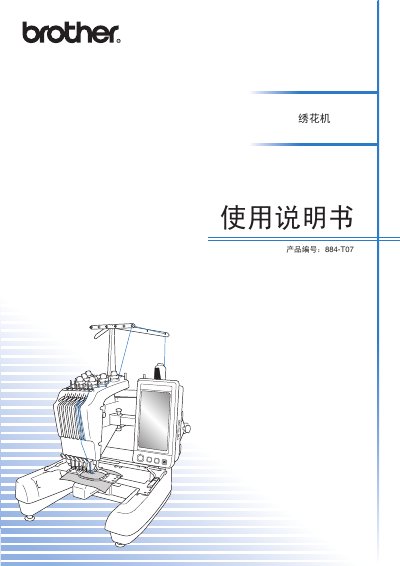
Brother 884-T07 Embroidery Machine User Manual
This manual explains the safety precautions that must be observed before using the Brother 884‑T07 embroidery machine, including turning the power switch to the “O” position and keeping the work area clear of hazards. It also details proper handling, cleaning, and storage to prevent damage and ensure safe operation.
Detailed instructions cover how to install and replace needles, use the supplied accessories, and perform routine maintenance. Troubleshooting tips and contact information for authorized service centers are provided for quick resolution of any issues. This manual is written in Japanese.
Brother 884-T07 specifications
| LCD brightness adjustment steps | Press [+] or [-] to increase or decrease brightness |
|---|---|
| Stitch navigation increment | 500 stitches forward or backward per key press |
| Maximum patterns transferable via Link | Up to 100 embroidery patterns |
| Supported embroidery file format for Link | PES (.pes) only |
All Brother 884-T07 documents by type
Day-to-day operation, settings and troubleshooting. Start here if the product is already set up.
Questions answered in these manuals
How do I adjust the LCD screen brightness on the PR650e?
Press the [+] button to increase brightness or the [-] button to decrease it on the settings screen.
How many stitches can I move forward or backward with one key press?
Each press of the [+500] or [-500] key moves the stitch position forward or backward by 500 stitches.
How do I adjust the LCD screen brightness?
Press the (-) or (+) keys on the settings screen to decrease or increase the brightness.
How many embroidery patterns can be sent using the Link function?
Up to 100 embroidery patterns can be transferred to the machine via the Link function.
How should the power be turned off before cleaning the machine?
Turn the power switch to the “O” position before cleaning.
What cleaning solution is safe to use on the machine?
Only neutral detergent or cleaning agent should be used; avoid tea, solvent, or bleach.