
Key facts
- Brand
- Philips
- Model
- MCM720
- Documents
- 2
- Languages
- EN · ZH
- Last added
- 2011-09-18
Start here
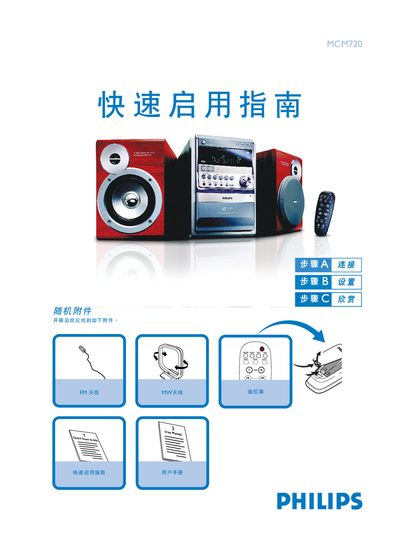
Philips MCM720 Micro System Quick Start Guide
This guide shows how to connect the MCM720 micro system to speakers, FM/MW antennas and the mains power cable. It includes step‑by‑step instructions for attaching speaker cables, positioning the antenna, and powering the unit.
It also explains basic operation such as playing CDs, setting the clock, using USB flash drives or cards, and programming radio stations. The guide provides key button functions for volume, source selection, and eco‑power standby mode. This manual is written in Chinese.
Philips MCM720 specifications
| Amplifier output power | 2 x 50 W RMS |
|---|---|
| Peak power (PMPO) | 1800 W |
| Signal‑to‑noise ratio | ≥ 62 dBA (IEC) |
| Frequency response (amplifier) | 40 – 15000 Hz ± 3 dB |
| Speaker impedance | 6 Ω |
| Headphone impedance | 32 Ω |
| Maximum editable CD/MP3‑CD tracks | 20 |
| USB playback speed | 12 Mb/s, V1.1 |
| FM radio frequency range | 87.5 – 108 MHz |
All Philips MCM720 documents by type
Day-to-day operation, settings and troubleshooting. Start here if the product is already set up.
The shortest path to a working setup, usually only a few pages.
Questions answered in these manuals
How do I set the clock?
Press and hold the CLOCK SET key while the unit is in standby; the hour digits flash, adjust with the VOLUME knob, then press CLOCK SET again to set minutes and confirm.
How do I connect the speakers?
Insert the speaker wires into the SPEAKERS terminals, connecting the right‑hand speaker to the “R” terminal and the left‑hand speaker to the “L” terminal, observing polarity markings.
How do I connect the speaker cables?
Connect the speaker cables between the speaker terminals and the speakers as shown in the guide.
How do I set the clock?
In standby mode, hold the CLOCK SET button, turn the VOLUME knob to adjust hours, press CLOCK SET again, adjust minutes, and press CLOCK SET once more to confirm.