
Key facts
- Brand
- Philips
- Model
- MCM275
- Documents
- 3
- Languages
- ZH · EN
- Last added
- 2011-09-26
Start here
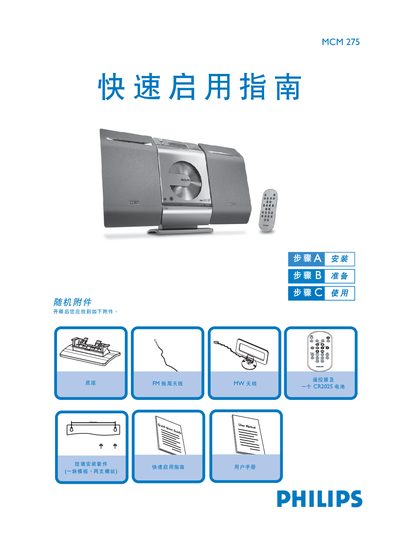
PHILIPS MCD275 quick start using Service Manual
The guide begins with a list of the accessories that come with the MCM275 and step‑by‑step instructions for assembling the base, connecting the left and right speaker terminals, attaching the MW, FM trailing and loop antennas, and plugging the AC power cord. It also advises on wall‑mount installation and recommends using a qualified person for that task.
After the hardware is set up, the guide explains how to set the clock (12‑hour or 24‑hour mode), play audio CDs (CDDA, CD‑R, CD‑RW, MP3/WMA), select sources such as CD, USB or radio, and operate the remote control. USB flash drives (USB 2.0/1.1) and storage cards (with a reader) are also supported for audio playback. This manual is written in Chinese.
Philips MCM275 specifications
| Speaker terminals | LEFT (red and black) and RIGHT (red and black) |
|---|---|
| Power supply | AC mains via power cord |
| Supported CD formats | CDDA, CD‑R, CD‑RW, MP3/WMA CD |
| USB playback | USB flash drives (USB 2.0/1.1) and storage cards (with reader) |
| Clock format | Selectable 12‑hour or 24‑hour |
All Philips MCM275 documents by type
Day-to-day operation, settings and troubleshooting. Start here if the product is already set up.
The shortest path to a working setup, usually only a few pages.
Questions answered in these manuals
How do I connect the speakers?
Connect the left speaker wire to the LEFT (red and black) terminal and the right speaker wire to the RIGHT (red and black) terminal.
How do I play a CD?
Insert the CD with the label side up, close the tray with the CD OPEN/CLOSE button, then press PLAY.
How should I clean the CD laser head?
Use Philips CD laser‑head cleaning solution or a compatible commercial cleaner, following the product’s usage instructions.
What can I do if the remote control does not work?
Check that the battery is installed with correct polarity, replace it if needed, ensure the remote is pointed at the IR sensor, and verify the unit is powered on.
How should I clean the CD laser head?
Apply Philips CD laser‑head cleaning fluid or a compatible cleaner according to the product instructions, then gently wipe the head.
What is the standby power consumption of the MCM275?
The unit consumes less than 5 W in standby mode.