
Key facts
- Brand
- Philips
- Model
- MCM169
- Documents
- 3
- Languages
- ZH · EN
- Last added
- 2011-09-30
Start here
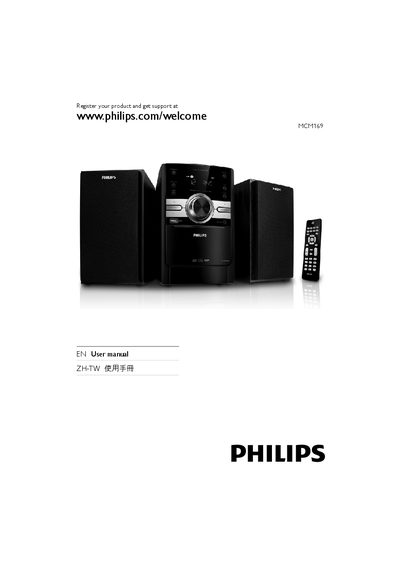
Philips MCM169 User Manual
This manual introduces the Philips MCM169 CD player, its main unit, remote control, and accessories such as loudspeaker boxes, AC power cable, and MP3 link cable. It explains the product’s features, including CD playback, USB support, radio tuning, and sound‑enhancement settings.
The guide covers step‑by‑step setup (connecting speakers and power, preparing the remote), basic functions (turning on, playing discs, USB playback, radio tuning), advanced options (programming tracks, adjusting bass, setting timers), and troubleshooting tips for power, sound, remote control, disc detection, and USB issues.
Philips MCM169 specifications
| Speaker impedance | 8 Ω |
|---|---|
| Operating power consumption | 20 W |
| Standby power consumption | <4 W |
| Dimensions (main unit) | 147 × 231 × 209 mm |
| USB interface | USB 2.0/1.1 |
| Supported audio formats | MP3 32‑320 kbps, WMA v9 |
| Supported CD formats | CD‑DA, CD‑R, CD‑RW, MP3‑CD, WMA‑CD |
All Philips MCM169 documents by type
Day-to-day operation, settings and troubleshooting. Start here if the product is already set up.
Questions answered in these manuals
How do I play media from a USB storage device?
Insert the USB device, then press the SOURCE key (or the USB key on the remote) to select the USB source.
How can I record a CD to a USB device?
Use the USB RECORD function to record audio from a disc directly onto a USB device.
What should I do if the unit has no power?
Make sure the AC power plug is properly connected and that the outlet supplies power.
How do I set the clock on the MCM169?
In standby mode, press the CLOCK/DISPLAY button to enter clock‑setting mode, then use the ALB/PRESET ± buttons to adjust hours and minutes and confirm with CLOCK/DISPLAY.
How can I replace the remote‑control batteries?
Open the battery compartment, insert two AAA batteries with the correct polarity (+/‑), and close the compartment. Remove the batteries if the remote will not be used for a long time.