
Key facts
- Brand
- Philips
- Model
- FWD17
- Documents
- 2
- Languages
- ZH · ES
- Last added
- 2011-10-05
Start here
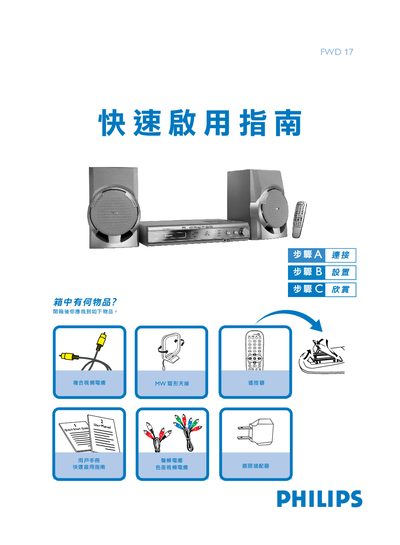
PHILIPS FWD17 quick start using Service Manual
The guide lists the items included in the box and shows how to connect the right and left speakers to the R and L terminals, attach the AM/FM antenna, and hook up composite or component video cables to a TV. It also explains the correct polarity for speaker connections and how to power the unit.
Basic operation steps are covered, including selecting the DISC source with the SOURCE knob, changing language and menu settings, choosing TV system and video output mode, and using the remote to open/close the disc tray, play, pause, and stop playback. This manual is written in Chinese.
Philips FWD17 specifications
| Output Power | 2 x 30 W RMS |
|---|---|
| PMPO | 1200 W |
| Signal‑to‑Noise Ratio | ≥ 65 dBA |
| Frequency Response | 63 – 16000 Hz ±3 dB |
| Speaker Impedance | 6 Ω |
| Standby Power Consumption | ≤ 15 W |
| Dimensions (W×H×D) | 436 x 86 x 337 mm |
| Weight (with speakers) | 10.5 kg |
All Philips FWD17 documents by type
Day-to-day operation, settings and troubleshooting. Start here if the product is already set up.
The shortest path to a working setup, usually only a few pages.
Questions answered in these manuals
How do I connect the speakers?
Connect the right speaker to the "R" terminal and the left speaker to the "L" terminal, matching the red (+) wire to the positive terminal and the black (‑) wire to the negative terminal.
How can I select the DVD source?
Turn the SOURCE control knob to choose the DISC source.
How do I set the correct voltage for my region?
Use the voltage selector on the back of the unit and set it to 110‑127 V if your country uses that voltage; otherwise leave it at 220 V.
What types of discs can the system play?
The system can play DVD, VCD, SVCD, DVD+RW, CD, and MP3‑CD discs (with supported audio formats and region codes).