
Key facts
Start here
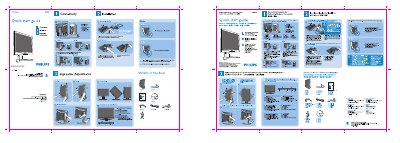
Philips 200WB7 LCD Monitor Quick Start Guide
This Quick Start Guide provides essential instructions for getting the Philips 200WB7 LCD monitor up and running. It includes safety warnings, unpacking details, and step‑by‑step directions for connecting the monitor and adjusting its ergonomic settings.
Key steps cover using the DVI input for optimal performance, setting the display resolution to 1680 × 1050 @ 60 Hz, and securely installing the monitor base with the four‑pronged attachments. The guide also offers quick references for control button functions and ergonomic adjustments.
Philips 200WB7 specifications
| Recommended video mode | 1680x1050 @ 60 Hz |
|---|---|
| Refresh rate | 60 Hz (75 Hz also supported) |
| Operating temperature | 5 °C – 41‑95 °F |
| Operating humidity | 20‑80 % RH |
All Philips 200WB7 documents by type
Day-to-day operation, settings and troubleshooting. Start here if the product is already set up.
The shortest path to a working setup, usually only a few pages.
Questions answered in these manuals
Which input should I use for best performance?
Use the DVI input and set the display resolution to 1680 × 1050 @ 60 Hz.
How can I register the warranty for my Philips 200WB7 monitor?
Complete the Warranty Registration Card and mail it within ten days to the address provided.
What does the completed warranty card confirm?
It serves as confirmation of ownership and registers the model for warranty protection.
What is the refresh rate of the LCD monitor?
The monitor operates at a 60 Hz refresh rate; 75 Hz is also available but shows no noticeable difference.