
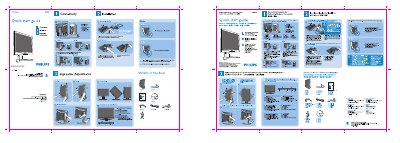
Philips 200WB7 LCD Monitor Quick Start Guide


Philips 200WB7 LCD Monitor Quick Start Guide - cover page
Brand
Philips
Category
Monitor
Document type
Quick Start Guide
Language
English
Pages
1
File format
PDF
File size
7.7 MB
Published
23 March, 2012
Updated
29 May, 2012
Model
200WB7
MD5 checksum
370B27053174981B4AA80CB82E8B6B81

About this manual

This Quick Start Guide provides essential instructions for getting the Philips 200WB7 LCD monitor up and running. It includes safety warnings, unpacking details, and step‑by‑step directions for connecting the monitor and adjusting its ergonomic settings.

Key steps cover using the DVI input for optimal performance, setting the display resolution to 1680 × 1050 @ 60 Hz, and securely installing the monitor base with the four‑pronged attachments. The guide also offers quick references for control button functions and ergonomic adjustments.

What's inside

  • Quick Start Guide
  • Ergonomic Adjustments
  • Installation
  • Connectivity
  • Safety Warnings
  • Box Contents
  • Control Button Reference

Specifications

Native resolution1680 x 1050 @60Hz

Frequently asked questions

Which input should I use for best performance?

Use the DVI input and set the display resolution to 1680 × 1050 @ 60 Hz.

Download PDF (7.7 MB)

More Philips Manuals


View all Philips manuals →