
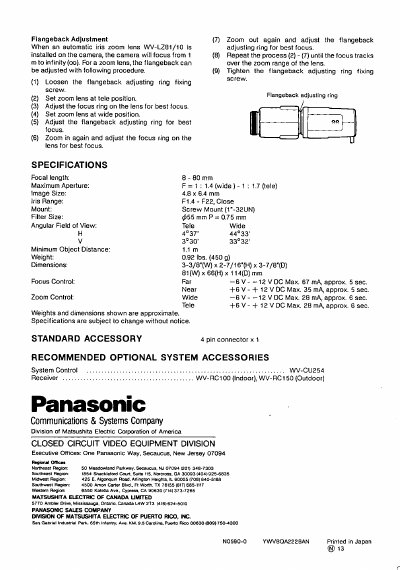
This document provides instructions for adjusting the flangeback on the Panasonic WV-LZ81/10 automatic iris zoom lens. The procedure involves loosening a fixing screw, setting the zoom to telephoto and wide positions, and adjusting focus rings to ensure proper tracking over the entire zoom range.
The manual also details how to construct a 4-pin cable for remote control of zoom and focus functions, specifying wire gauges and maximum lengths. Additionally, it outlines the installation steps for mounting the lens onto compatible cameras, including setting switches and attaching lens supporters.
| Focal length | 8-80 mm |
|---|---|
| Maximum Aperture (wide) | F=1: 14 |
| Maximum Aperture (tele) | F=1: 1.7 |
| Filter Size | $55 mm P = 0.75 mm |
| Mount type | Screw Mount (1"-32UN) |
The maximum aperture ranges from F1.4 in the wide position to F1.7 in the tele position.
The lens can focus on objects as close as 1.4 meters.
The focus control operates on 6 to 12 VDC.