
Key facts
- Brand
- HP
- Model
- LC4776N
- Category
- Television
- Documents
- 2
- Languages
- EN
- Last added
- 2012-06-04
Start here
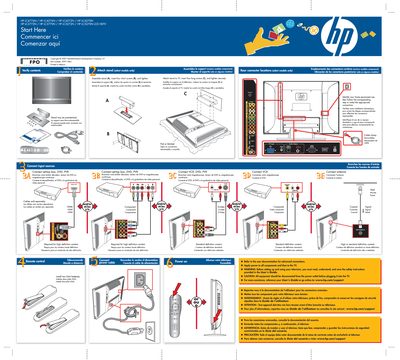
HP LCD HDTV (LC4776N etc.) Quick Start Setup Guide
This quick‑start guide provides step‑by‑step instructions for assembling the stand, connecting input sources and applying power to HP LCD HDTVs. It includes safety warnings and notes on required accessories.
The poster is multilingual (English, French, Spanish) and lists optional cables (HDMI, S‑Video) as sold separately, as well as the remote’s requirement for two AAA batteries.
All HP LC4776N documents by type
The shortest path to a working setup, usually only a few pages.
Day-to-day operation, settings and troubleshooting. Start here if the product is already set up.
Questions answered in these manuals
How do I assemble the stand?
Attach the stand, insert four short screws (B) and four long screws (C), then tighten securely.
Are HDMI cables included?
No, HDMI cables are sold separately.
What are the specific models covered by this guide?
This guide covers the HP LC4776N, LC4276N, LC4272N, LC4270N, LC3772N, LC3770N, LC3272N, and LC3270N.
What type of cleaning agents should not be used on the product?
You should never use solvents or abrasive cleaning solutions to clean this product.