
Key facts
- Brand
- HP
- Model
- dm4
- Documents
- 3
- Languages
- ZH · EN
- Last added
- 2023-10-18
Start here
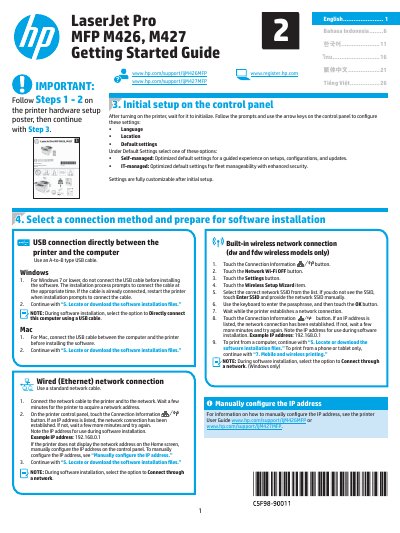
HP LaserJet Pro MFP M426 and M427 Getting Started Guide
This guide provides instructions for the initial setup of the HP LaserJet Pro MFP M426 and M427 printers. It covers hardware initialization, selecting default settings (Self-managed or IT-managed), and preparing the printer for software installation via USB or network connections.
The document details how to install the necessary drivers on Windows and Mac operating systems using a CD, downloaded files, or HP Easy Start. It also explains various connection methods including wired Ethernet, built-in wireless networks, Wi-Fi Direct, and mobile printing options like AirPrint and HP ePrint.
HP dm4 specifications
| Dimensions | Depth 22.8 cm (8.98 in), Width 34.8 cm (13.70 in), Height 2.5 to 3.2 cm (0.98 to 1.26 in) |
|---|---|
| Weight | < 2.00 kg (4.42 lbs) |
| Display Resolution | 1366 × 768 (HD) |
| Operating Temperature | 0°C to 35°C (32°F to 95°F) when not writing to optical disc |
Source: HP dm4 Entertainment PC Maintenance and Service Guide
All HP dm4 documents by type
Disassembly, diagnostics and part numbers, for repair.
Day-to-day operation, settings and troubleshooting. Start here if the product is already set up.
Questions answered in these manuals
What are the operating temperature limits for the HP dm4?
The operating temperature range is 0°C to 35°C (32°F to 95°F) when not writing to optical disc, and 5°C to 35°C (41°F to 95°F) when writing to optical disc.
What is the display resolution of the HP dm4?
The display resolution is 1366 × 768 (HD).
What are the default setting options for initial setup?
You can select either Self-managed, optimized for a guided experience, or IT-managed, optimized for fleet manageability with enhanced security.
From: HP LaserJet Pro MFP M426 and M427 Getting Started Guide
How do I connect the printer to a wired network?
Connect a standard network cable from the printer to the network, wait for it to acquire an address, and verify by checking the Connection Information button on the control panel.
From: HP LaserJet Pro MFP M426 and M427 Getting Started Guide
Which models support the fax feature?
The fax feature is only available on the fdn and fdw models.
From: HP LaserJet Pro MFP M426 and M427 Getting Started Guide