
Key facts
Start here
HP LaserJet Professional P1108 Printer Installation Guide
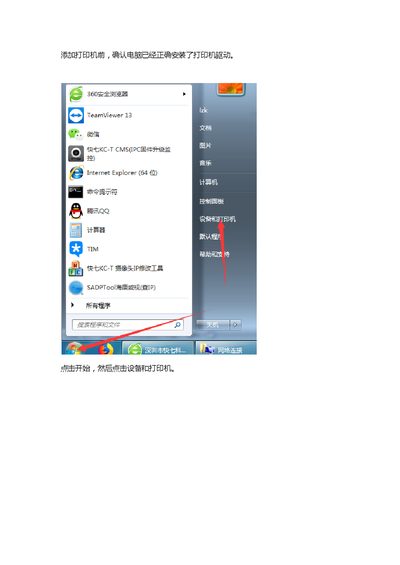
This document provides instructions for adding a printer to a computer system. It covers the initial steps of confirming driver installation and selecting the method for adding the printer, such as adding a local printer for USB connections or a network printer for IP-based setups. This manual is written in Chinese.
Read onlineAll HP P1108 documents by type
Day-to-day operation, settings and troubleshooting. Start here if the product is already set up.
Questions answered in these manuals
How do I add a local printer?
Select 'Add Local Printer' if the computer has been connected to the printer via USB.
From: HP LaserJet Professional P1108 Printer Installation Guide
How do I add a network printer?
Select 'Add Network, Wireless or Bluetooth Printer' if the printer is connected via network or Bluetooth.
From: HP LaserJet Professional P1108 Printer Installation Guide
What printer model is covered by this installation guide?
The guide is for the HP LaserJet Professional P1108.
From: HP LaserJet Professional P1108 Printer Installation Guide
What IP address example is shown for the printer host?
The example IP address for the printer host is 192.168.100.22.
From: HP LaserJet Professional P1108 Printer Installation Guide