
Key facts
Start here
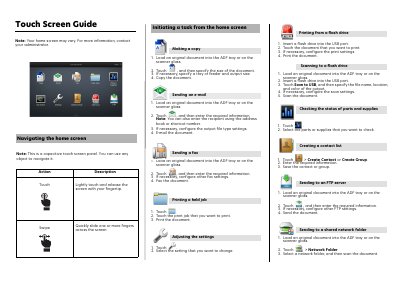
HP M283fdw Multifunction Printer Touch Screen Guide
This document serves as a quick reference guide for the touch screen interface of the HP M283fdw multifunction printer. It provides step-by-step instructions for navigating the home screen and performing common tasks such as copying, scanning, faxing, and emailing documents.
Read onlineHP M283fdw specifications
| Print speed black A4 | Up to 21 ppm |
|---|---|
| First page out (black) | As fast as 11.4 sec |
| Print resolution Black (best) | Up to 600 x 600 dpi |
| Scanner resolution Flatbed | Up to 1200 x 1200 dpi |
| Fax speed | 3 sec per page A4 |
| Standard memory | 256 MB DDR, 256 MB Flash |
| Processor speed | 800 MHz |
| Monthly duty cycle A4 | Up to 40,000 pages |
| Input capacity Tray 2 | Up to 250 sheets |
All HP M283fdw documents by type
Day-to-day operation, settings and troubleshooting. Start here if the product is already set up.
Questions answered in these manuals
Which wireless operations are supported?
Wireless operations are compatible with both 2.4 GHz and 5.0 GHz operations only.
What print languages are supported?
The printer supports HP PCL6, HP PCL5c, HP PostScript Level 3 emulation, PWG Raster, PDF, PCLm, PCLm-S, NativeOffice, and URF.
What type of touch screen does this printer use?
The device uses a capacitive touch screen panel that allows navigation with any object.
How do you navigate the touch screen?
You can lightly touch and release the screen with your fingertip or quickly slide one or more fingers across it.