
Key facts
Start here
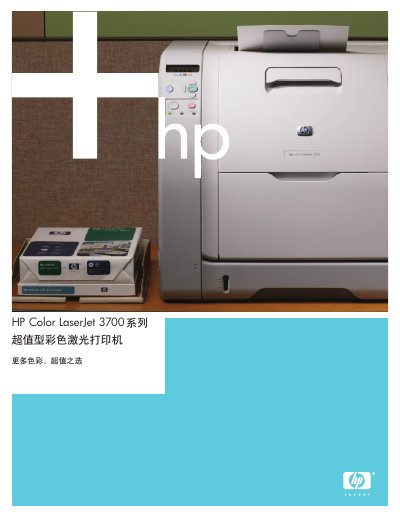
HP Color LaserJet 3700 Series User Guide
The HP Color LaserJet 3700 Series is designed for small workgroups, offering high-speed printing up to 16 ppm with fast first-page output. It features professional print quality using HP ImageRE+ 2400 technology and supports high-volume monthly loads of up to 55,000 pages. This manual is written in Chinese.
Read onlineHP Color LaserJet 3700 specifications
| Print Speed (Color/Black) | 16 ppm |
|---|---|
| First Page Output Time | 20 seconds |
| Print Resolution | 600 x 600 dpi |
| Monthly Duty Cycle | 55,000 pages |
| Memory (Expandable) | 64 MB to 448 MB |
All HP Color LaserJet 3700 documents by type
Day-to-day operation, settings and troubleshooting. Start here if the product is already set up.
Questions answered in these manuals
What is the print speed of the HP Color LaserJet 3700?
The printer offers a high-speed printing rate of 16 ppm for both color and black text.
How long does it take to print the first page?
The printer achieves a fast first-page output time of just 20 seconds in ready and energy-saving modes.
What is the maximum length of the parallel cable for this printer?
The cable can be up to 10 meters (30 feet) long.
From: HP Color LaserJet 3700 Series Parallel Configuration Guide
What type of connector is used for the parallel port connection?
You must use a bidirectional parallel cable with a B-type parallel port connector.
From: HP Color LaserJet 3700 Series Parallel Configuration Guide
What is the part number for a 4 MB flash DIMM memory upgrade?
The part number for a 4 MB flash DIMM memory upgrade is C4287A.
From: HP Color LaserJet 3700 Series Supplies and Accessories Ordering Guide
Which part numbers are used for the cyan, yellow, and magenta toner cartridges in the HP Color LaserJet 3700 Series?
The part numbers are Q2681A for cyan, Q2682A for yellow, and Q2683A for magenta.
From: HP Color LaserJet 3700 Series Supplies and Accessories Ordering Guide