
Key facts
Start here
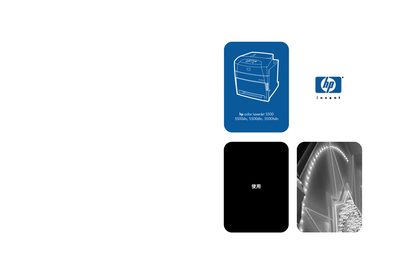
HP Color LaserJet 5500 Series Printer Manual
This manual covers the HP Color LaserJet 5500 series printers, including the 5500, 5500dn, 5500dtn, and 5500hdn models. It provides detailed instructions for installation, configuration, and daily operation, as well as guidance on using HP Jetdirect networking features.
The document also includes sections on supported network protocols (NetWare, Windows NT, AppleTalk, UNIX/Linux), printer maintenance, troubleshooting common issues, and reference tables for specifications and part numbers.
HP 5500 Series specifications
| Best print quality relative humidity range | 20–80% |
|---|---|
| Best print quality temperature range | 18 to 25°C (64 to 77°F) |
| Print temperature range | 15 to 30°C (59 to 86°F) |
| Maximum altitude for printing | 3000 meters (10,000 feet) |
| Maximum power consumption (60-inch model) | 4.8 kW |
| Minimum door width for unloading | 40 inches (1.01 meters) |
All HP 5500 Series documents by type
Day-to-day operation, settings and troubleshooting. Start here if the product is already set up.
Mounting, wiring and first power-up. Read it before the hardware goes in.
Questions answered in these manuals
What is the purpose of this Network Guide?
This guide explains how to set up an HP all-in-one in a network, including setting and connecting devices and installing software.
Can I switch from USB to network connection after initial setup?
Yes, if you initially installed the HP all-in-one using a USB connection, you can later switch to a network connection by following specific steps.
How much time is needed for installation preparation?
At least three hours of installation time should be prepared.
What is the minimum width required for doorways to move the printer?
Doorways must have a minimum width of 40 inches (1.01 meters).
Which models are included in the HP Color LaserJet 5500 series?
The series includes the HP Color LaserJet 5500, 5500dn, 5500dtn, and 5500hdn models.
What network protocols are supported by the HP Color LaserJet 5500 printers?
The printers support NetWare, Windows NT, AppleTalk, and UNIX/Linux networking protocols.