
Key facts
Start here
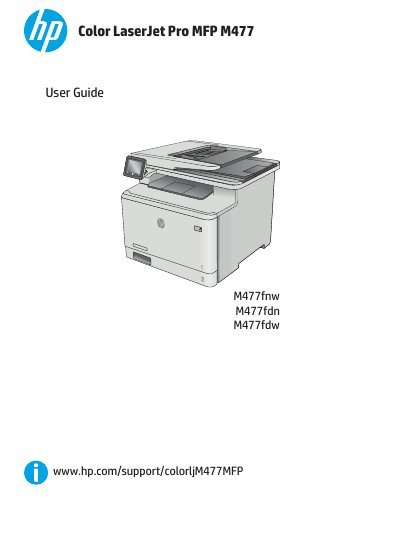
HP Color LaserJet Pro MFP M477 User Guide
The HP Color LaserJet Pro MFP M477 is a multifunction printer designed for efficient printing, copying, scanning, and faxing. This manual provides comprehensive instructions on hardware setup, software installation, and using the touchscreen control panel to manage print tasks, mobile printing solutions, and network configurations.
The guide also details how to load paper into Tray 1 and Tray 2, replace toner cartridges, and perform maintenance such as clearing paper jams and improving print quality. It includes troubleshooting steps for common issues like misfeeds, fax errors, and image quality problems.
HP M477 specifications
| Print speed (letter) | Up to 28 ppm black; Up to 28 ppm color |
|---|---|
| Print resolution (best) | 600 × 600 dpi, up to 38,400 × 600 enhanced dpi |
| Scan resolution (optical) | Up to 1200 × 1200 dpi |
| Memory | 256 MB NAND Flash, 256 MB DRAM |
| Power consumption (active printing) | 570 watts |
| Monthly duty cycle | Up to 50,000 pages |
| Paper handling capacity | 50‑sheet multipurpose tray, 250‑sheet input tray, 50‑sheet ADF, 150‑sheet output bin |
| Standard connectivity | Hi‑Speed USB 2.0, built‑in Gigabit Ethernet 10/100/1000 Base‑TX |
All HP M477 documents by type
Ratings, dimensions and ordering codes, for selection and design work.
Day-to-day operation, settings and troubleshooting. Start here if the product is already set up.
Questions answered in these manuals
What is the print speed of the HP Color LaserJet Pro MFP M477fdw?
It prints up to 28 pages per minute in both black and color for letter‑size documents.
What is the monthly duty cycle for this printer?
The printer is rated for a maximum monthly duty cycle of 50,000 pages.
How do I load paper into the multipurpose tray?
Refer to the section 'Load paper into Tray 1 (multipurpose tray)' for instructions on loading and orienting paper.
What should I do if the printer does not pick up paper?
Check the pickup rollers and separation pad in the document feeder, or clear any paper jams as described in the troubleshooting section.