
Key facts
- Brand
- Brother
- Model
- MFC-7340
- Category
- All-in-one printer
- Industry
- Computers
- Documents
- 3
- Languages
- ZH
- Last added
- 2012-04-01
Start here
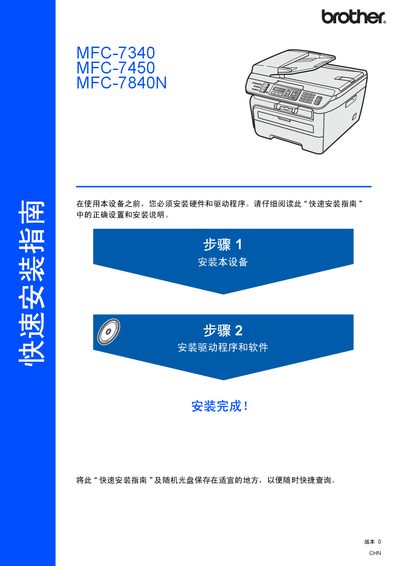
Brother MFC-7340 / MFC-7450 / MFC-7840N Quick Installation Guide
This guide provides step‑by‑step instructions for installing Brother MFC‑7340, MFC‑7450 and MFC‑7840N multifunction printers. It covers unpacking, hardware assembly, connecting USB or Ethernet interfaces, and configuring the BRAdmin Light utility for network settings.
Safety symbols, warnings and cautions are highlighted throughout the document. The guide also lists supported operating systems (Windows 2000/XP/Vista, Windows Server 2003 and Mac OS X 10.2.4 or later) and specifies cable length limits and grounding requirements to ensure safe and reliable operation. This manual is written in Chinese.
Brother MFC-7340 specifications
| Paper tray capacity | 250 sheets of 80 g/m² paper |
|---|---|
| Supported paper sizes | A4, Letter, Executive, A5, A6, B5, B6 |
| Maximum transparency sheets | 10 sheets |
| Safety standard | IEC60825-1+A2:2001 |
Source: brother MFC-7340 MFC-230C Manual
All Brother MFC-7340 documents by type
Day-to-day operation, settings and troubleshooting. Start here if the product is already set up.
The shortest path to a working setup, usually only a few pages.
Questions answered in these manuals
How many sheets can the paper tray hold?
The paper tray can hold up to 250 sheets of 80 g/m² paper.
Can I use inkjet paper in this printer?
No, using inkjet paper may cause paper jams or damage the device.
How do I allow Brother printing through a firewall?
Configure the firewall to permit traffic on port 137 as described on page 109.
From: Brother MFC-7840N, MFC-7450, MFC-7340, DCP-7040, DCP-7030 User Manual
Can I scan documents directly to email?
Yes, use the Scan to Email function available in the scanning section of the manual.
From: Brother MFC-7840N, MFC-7450, MFC-7340, DCP-7040, DCP-7030 User Manual