
Key facts
Start here
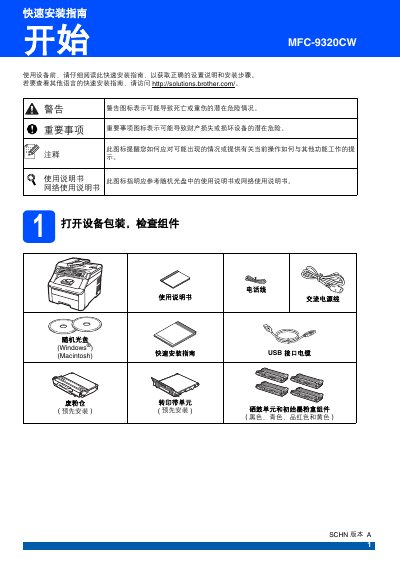
Brother MFC-9320CW Quick Installation Guide
This document serves as a Quick Installation Guide for the Brother MFC-9320CW device. It outlines essential steps to get the machine ready for use, including unpacking, installing consumables like toner cartridges, and connecting power and phone lines.
The guide also details the initial setup procedures required after hardware installation. These include selecting the reception mode (Fax/Telephone), setting the language and date/time, entering personal identification information, and configuring dialing modes for fax transmission. This manual is written in Chinese.
Brother MFC-9320CW specifications
| Paper tray capacity | Up to 250 sheets of standard paper |
|---|---|
| Envelope handling | Manual feeder only; envelopes must meet size and condition guidelines |
| Wireless LAN | Supported on MFC-9320CW only |
| Safety lock 2.0 | Available on MFC-9320CW model |
All Brother MFC-9320CW documents by type
The shortest path to a working setup, usually only a few pages.
Day-to-day operation, settings and troubleshooting. Start here if the product is already set up.
Questions answered in these manuals
What is the approximate weight of the device?
The device weighs approximately 22.9 kilograms.
How many people are required to move the device safely?
At least two people are required to handle the equipment to avoid personal injury.
Can I encrypt scanned PDFs directly from the printer?
Yes, the printer can create encrypted PDF files when scanning to PDF.
From: Brother DCP-9010CN / MFC-9120CN / MFC-9320CW User Manual
What is the maximum number of sheets the paper tray can hold?
The paper tray can hold up to 250 sheets of standard paper.
Can the printer handle envelopes?
Yes, envelopes can be fed via the manual feeder, but they must meet size and condition requirements.