
Key facts
- Brand
- Brother
- Model
- MFC-8220
- Category
- All-in-one printer
- Industry
- Computers
- Documents
- 4
- Languages
- EN · ZH
- Last added
- 2012-05-08
Start here
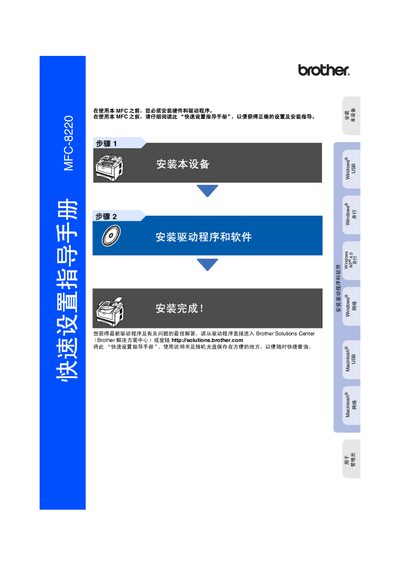
Brother MFC-8220 Quick Setup Guide
This guide walks you through installing the MFC-8220 hardware, connecting power, telephone, and USB or parallel cables, and setting up the required drivers from Brother Solutions Center. It also covers basic configuration such as date/time, machine ID, and receive mode selection.
The manual includes safety warnings, paper handling procedures, control‑panel functions, and optional network setup using the NC‑9100h interface. Supported operating systems and driver versions for Windows and Mac OS X are listed, along with troubleshooting tips. This manual is written in Chinese.
Brother MFC-8220 specifications
| Standard toner cartridge | TN-540, up to 3,500 pages |
|---|---|
| High‑yield toner cartridge | TN-570, up to 6,700 pages |
| Optional paper tray | LT-5000 |
| Optional LAN board | NC-9100h |
Source: Brother MFC-8220 User Manual
All Brother MFC-8220 documents by type
Day-to-day operation, settings and troubleshooting. Start here if the product is already set up.
The shortest path to a working setup, usually only a few pages.
Questions answered in these manuals
How do I install the printer driver?
The printer drivers are on the CD‑ROM supplied with the MFC; install them following the Quick Setup Guide or download the latest version from the Brother Solutions Center.
How do I set up PC‑FAX on Windows?
Install the Brother PC‑FAX software, set up user information, configure sending options, and use the Address Book for fax recipients.
What is the warranty period for the MFC-8220?
The machine is covered for one year from the purchase date, and consumable and accessory items are covered for 90 days.
How do I contact Brother customer service in the USA?
Call 1‑800‑284‑4329 for voice support, 1‑901‑379‑1215 for fax, or 1‑800‑284‑3238 for TTY service.
What is the recommended operating temperature range?
The device should be used in an environment where the temperature is between 10 °C and 32.5 °C.
What paper sizes can be used with the MFC-8220?
Supported paper widths are 69.8‑220 mm and lengths are 116‑406.4 mm, covering sizes such as A4, Letter, Legal, B5, Executive, A5, A6, and B6.