
Key facts
- Brand
- Brother
- Model
- MFC-790CW
- Category
- All-in-one printer
- Industry
- Computers
- Documents
- 6
- Languages
- ZH · EN
- Last added
- 2026-10-16
Start here
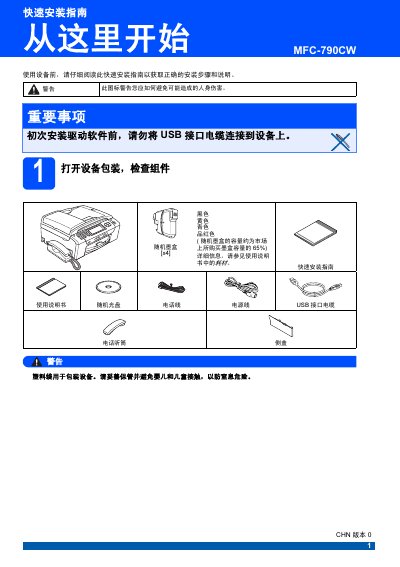
Brother MFC-790CW Quick Installation Guide
This Quick Installation Guide for the Brother MFC-790CW multifunction printer details the initial setup steps required before using the device. It covers unpacking the unit, connecting the power and telephone lines, and installing the included ink cartridges. The guide also explains how to verify print quality after the initial ink cleaning process. This manual is written in Chinese.
Read onlineBrother MFC-790CW specifications
| Ink cartridge models | LC990BK (Black), LC990Y (Yellow), LC990C (Cyan), LC990M (Magenta) |
|---|---|
| USB cable type and length | USB 2.0 Type A/B, max 2 m |
| Power cord requirement | Standard earthed power outlet |
| Paper size supported | Plain A4 |
| Receive mode options | Fax Only, Fax/Tel, Manual |
All Brother MFC-790CW documents by type
Day-to-day operation, settings and troubleshooting. Start here if the product is already set up.
The shortest path to a working setup, usually only a few pages.
Questions answered in these manuals
How do I set the backlight brightness?
Use the menu option "Setting the backlight brightness" as described on page 4.
How can I change the LCD language?
Select the "LCD Language" option in the settings menu.
Can I connect the USB cable before installing the driver?
No. The guide states not to connect the USB cable before installing the driver.
How do I restore the network settings to factory default?
Turn off the machine, disconnect all cables except power, press MENU → Network → Factory Reset, confirm with Yes and hold for 2 seconds.
How do I load paper into the MFC‑790CW?
Load paper by opening the paper tray, placing the paper stack within the indicated guides, and adjusting the paper guides to match the paper size before closing the tray.
What is the memory capacity of the printer?
The printer has a memory capacity of 48 MB.