
Key facts
Start here
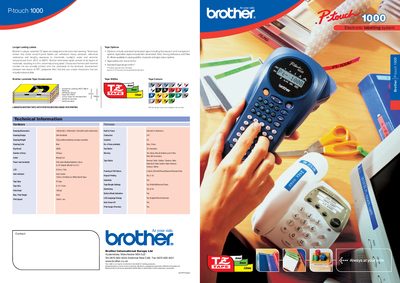
Brother P-touch 1000 User Manual
The P‑touch 1000 is a handheld labelling machine that uses Brother's patented TZ laminated tapes for durable, weather‑resistant labels. It offers a slim design, 49‑key keyboard, and an LCD preview screen to edit and preview labels before printing.
The manual details hardware specifications, tape options, power options (six AAA batteries or optional AC adapter), and firmware features such as multiple font styles, framing, underlining, and auto power‑off. It also lists contact information for Brother International Europe Ltd.
Brother P-touch 1000 specifications
| Dimensions | 4.32" (W) X 7.84" (D) X 2.2" (H) |
|---|---|
| Weight | 0.74 lbs. (335g) |
| Power Supply | Six AAA size alkaline batteries or optional AC adapter |
| Tape Cassette | Brother TZ tape |
| Tape Widths | 1/4" / 3/8" / 1/2" (6mm, 9mm, 12mm) |
All Brother P-touch 1000 documents by type
Day-to-day operation, settings and troubleshooting. Start here if the product is already set up.
Questions answered in these manuals
What tapes are compatible with this machine?
Use only Brother TZ tapes with this machine. Do not use tapes that do not have the J mark.
What happens if power is disconnected for more than three minutes?
All text shown in the display and any text files stored in the memory will be lost, and language and unit settings will be cleared.
Can the P‑touch 1000 print more than one line?
Yes, it can print up to two lines of text.
What tape widths are available for the P‑touch 1000?
Tape widths of 6 mm, 9 mm, and 12 mm are supported.