
Key facts
- Brand
- Brother
- Model
- MFC-240C
- Category
- All-in-one printer
- Industry
- Computers
- Documents
- 3
- Languages
- EN · ZH
- Last added
- 2012-05-08
Start here
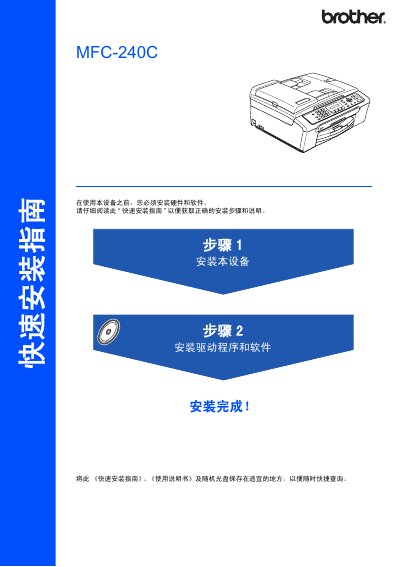
Brother MFC-240C Quick Installation Guide
This guide provides the essential instructions for installing the Brother MFC‑240C. It covers safety symbols, required components, and the order of operations for hardware setup, driver installation, and initial configuration.
The manual details how to load paper, connect the telephone line, use a USB 2.0 cable (max 2 m), install drivers for Windows and Mac OS, and adjust display settings. Safety warnings emphasize using a grounded power outlet and avoiding incorrect connections. This manual is written in Chinese.
Brother MFC-240C specifications
| Ink Cartridge LC51BK print capacity | approx. 500 pages |
|---|---|
| Ink Cartridge LC51Y print capacity | approx. 400 pages |
| Ink Cartridge LC51C print capacity | approx. 400 pages |
Source: Brother MFC-240C User Manual
All Brother MFC-240C documents by type
Day-to-day operation, settings and troubleshooting. Start here if the product is already set up.
The shortest path to a working setup, usually only a few pages.
Questions answered in these manuals
How can I register my Brother MFC-240C?
You can register the product online at http://www.brother.com/registration/ or by completing the warranty registration sheet.
What is the warranty period for the machine?
The machine is covered by a one‑year limited warranty from the original purchase date.
How do I connect the telephone line to the MFC‑240C?
Insert one end of the telephone line into the LINE jack on the device and the other end into a wall telephone socket.
What type and length of USB cable should be used?
Use a USB 2.0 cable no longer than 2 meters (6 feet).
How many pages can the automatic document feeder hold?
The automatic document feeder can hold up to 10 pages.
What type of ink cartridges should be used?
Original Brother ink cartridges should be used for best performance.