
Key facts
- Brand
- Brother
- Model
- MFC-640CW
- Category
- All-in-one printer
- Industry
- Computers
- Documents
- 5
- Languages
- ZH · EN
- Last added
- 2026-10-18
Start here
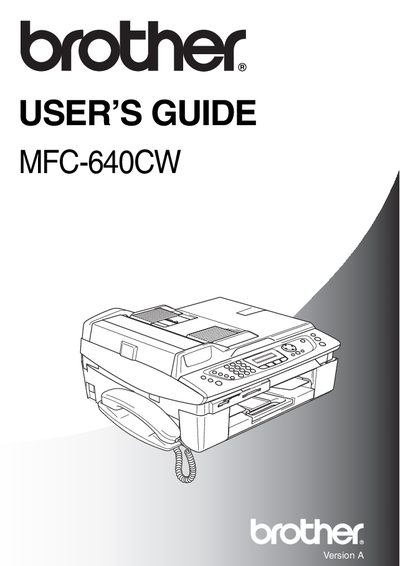
Brother MFC-640CW User Guide
This guide covers safety precautions, proper placement, and basic setup for the Brother MFC-640CW multifunction printer. It includes warnings about high‑voltage components, instructions for connecting telephone and power lines, and recommended environmental conditions.
The manual also explains everyday functions such as sending faxes, making copies, using speed‑dial, and storing contacts. At the end, warranty, repair, and support information for Australian users are provided.
Brother MFC-640CW specifications
| Model name | NC‑110h |
|---|---|
| Supported operating systems | Windows 98/98SE/Me/2000/XP, Mac OS 9.1‑9.2, Mac OS X 10.2.4+ |
| Supported protocols | TCP/IP, ARP, RARP, BOOTP, DHCP, APIPA, NetBIOS, WINS, DNS, LPR/LPD, Port9100, FTP, mDNS, TELNET, SNMP |
| Network type | 10/100BASE‑TX Ethernet |
Source: Brother MFC-640CW Multi‑Protocol Embedded Ethernet Print Server User Manual
All Brother MFC-640CW documents by type
Day-to-day operation, settings and troubleshooting. Start here if the product is already set up.
Questions answered in these manuals
What is the maximum number of sheets of paper that can be loaded into the paper tray?
The paper tray can hold a maximum of 100 sheets of 20 lb paper.
What is the maximum data transfer rate for the full-speed USB 2.0 interface on this device?
The maximum data transfer rate is 12 Mbits/s.
How do I register my Brother MFC-640CW?
Register the product online at the Brother registration website.
What should I do before cleaning the machine?
Unplug the telephone line cord first, then unplug the power cord from the electrical socket.
How do I register my Brother MFC-640CW?
Register the product online at http://www.brother.com/registration/.
What safety steps should I take before cleaning the machine?
Unplug the telephone line cord first and then the power cord from the electrical socket before cleaning.