
Key facts
- Brand
- ATEN
- Model
- CS-1734
- Category
- Other Electronics
- Documents
- 4
- Languages
- EN · ZH
- Last added
- 2026-10-05
Start here
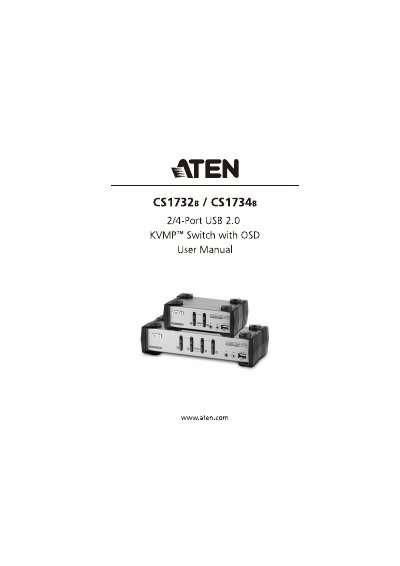
ATEN CS1732 B / CS1734 B User Manual
This manual provides step‑by‑step instructions for installing and using the ATEN CS1732 B and CS1734 B KVMP switches. It covers hardware setup, cable connections, basic port switching, keyboard and mouse emulation, OSD navigation, firmware upgrades, and safety guidelines.
The document also includes technical specifications, troubleshooting tips, and warranty information to help users maintain reliable operation of the switches in multi‑computer environments.
ATEN CS-1734 specifications
| Computer ports | 2 (CS1732 B) / 4 (CS1734 B) |
|---|---|
| Video resolution | 2048 x 1536 @ 60 Hz |
| Operating temperature | 0 °C – 50 °C |
| Dimensions (W × H × D) | 13.98 × 8.80 × 5.55 cm (CS1732 B); 21.00 × 8.80 × 5.55 cm (CS1734 B) |
| Weight | 0.55 kg (CS1732 B) / 0.78 kg (CS1734 B) |
| USB hub ports | 2 (CS1732 B) / 4 (CS1734 B) Type‑A |
All ATEN CS-1734 documents by type
Day-to-day operation, settings and troubleshooting. Start here if the product is already set up.
Questions answered in these manuals
How can I reset a non‑responsive USB port?
Unplug the USB cable from the switch’s rear panel and plug it back in, or use the USB reset hotkey (F5).
How can I reset the USB ports on the CS1732A/CS1734A?
Use the USB reset hotkey combination (see [F5]) to reset the USB ports.
What should I do if the mouse or keyboard is not responding?
Unplug the cable(s) from the console part(s), then plug them back in.
How can I reset the USB ports on the CS‑1732/CS‑1734?
Press the USB Reset hotkey combination (see page 16) to reset the USB ports.
What is the default OSD hotkey?
The default OSD hotkey is the Scroll Lock key.
From: ATEN CS1732B/CS1734B USB 2.0 KVMP Switch with OSD User Manual
How can I reset the USB port if it stops responding?
Press the USB reset hotkey combination (F5) to reset the USB port.
From: ATEN CS1732B/CS1734B USB 2.0 KVMP Switch with OSD User Manual