
Key facts
- Brand
- ATEN
- Model
- PN9108
- Category
- Power Management
- Industry
- Industrial
- Documents
- 4
- Languages
- ZH · EN
- Last added
- 2026-10-12
Start here
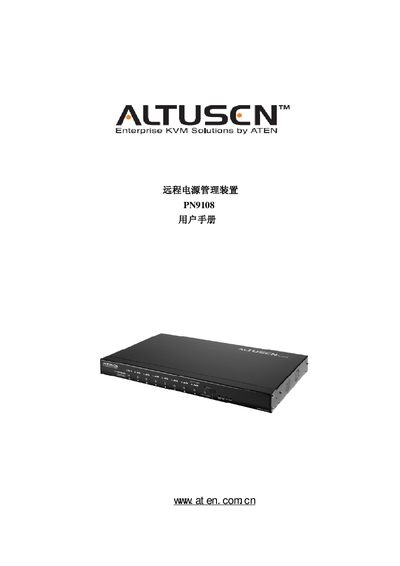
ATEN PN9108 Remote Power Management Unit User Manual
This manual covers all aspects of the ATEN PN9108 remote power management unit, including an overview of its purpose, features, and hardware components. It guides users through hardware installation, rack mounting, and wiring, as well as software access via browser, terminal, and out‑of‑band methods.
Additional sections describe safety shutdown and restart procedures, firmware update steps, troubleshooting, and product specifications. The document also provides regulatory information such as FCC Class A and RoHS compliance, and lists support contact details for international, North American, and Chinese regions. This manual is written in Chinese.
ATEN Altuscn PN9108 specifications
| Input Voltage | 100 ~ 120 V AC; 50/60 Hz |
|---|---|
| Output Voltage | 100 ~ 120 V AC; 50/60 Hz |
| Power Consumption | 16 W |
| Operating Temperature | 0 ~ 40 °C |
| Storage Temperature | -20 ~ 60 °C |
| Weight | 4.2 kg |
Source: ATEN PN9108 Remote Power Management Device User Manual
All ATEN Altuscn PN9108 documents by type
Day-to-day operation, settings and troubleshooting. Start here if the product is already set up.
Questions answered in these manuals
What type of battery is used in this device?
The device uses a replaceable lithium battery with the model number CR2032.
From: ATEN PN9108 Remote Power Management Device User Manual
What is the maximum current for the total input?
The maximum current for the total input is 11 A.
From: ATEN PN9108 Remote Power Management Device User Manual
How can I register my PN9108 product?
You can register online at ATEN’s support site (http://support.aten.com) or the North America site (http://aten-usa.com/product_registration).
From: ATEN PN9108 User Manual
What battery does the PN9108 use?
The unit uses a CR2032 3 V battery.
Which connector types are provided on the PN9108?
It includes DB 3 Female, DB 9 Female, OBS Female, and O89 Female connectors.