
Key facts
- Brand
- ATEN
- Model
- CS1784
- Industry
- Industrial
- Documents
- 3
- Languages
- EN · ZH
- Last added
- 2012-04-12
Start here
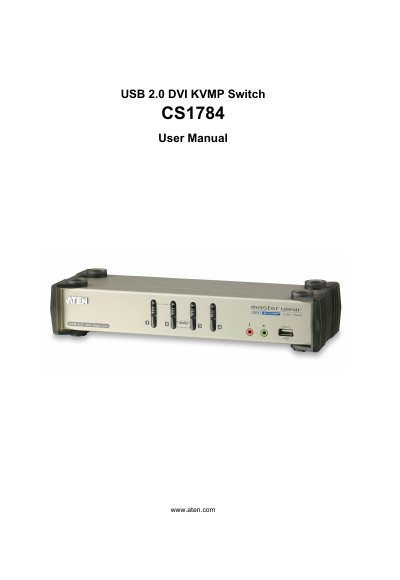
ATEN CS1784 USB 2.0 DVI KVMP Switch User Manual
The CS1784 is a USB 2.0 DVI KVMP (Keyboard, Video, Mouse, and Power) switch that lets you control up to four computers from a single console. It includes a USB‑to‑PS/2 converter, power adapter, and DVI dual‑link cables.
This manual covers safety information, package contents, hardware setup, basic operation, keyboard port functions, keyboard emulation tables, firmware upgrade procedures, specifications, troubleshooting, and warranty details.
ATEN CS1784 specifications
| Supported computers | Up to 4 |
|---|---|
| USB 2.0 hub ports | 2 |
| Audio output | 2.1 channel |
| Maximum DVI Dual‑Link resolution | 2560×1600 |
| Maximum DVI Single‑Link resolution | 1920×1200 |
| Power input | 5.3 V DC, 9 W, 1.7 A |
| Storage temperature range | -20 °C to 60 °C |
| Dimensions | 27.0 × 8.7 × 5.5 cm |
Source: ATEN CS1784 KVM Switch Manual
All ATEN CS1784 documents by type
Day-to-day operation, settings and troubleshooting. Start here if the product is already set up.
Questions answered in these manuals
How do I register my ATEN CS1784?
Register the product online at ATEN’s support site: International http://support.aten.com or North America http://support.aten-usa.com.
What should I do if the mouse or keyboard is not responding?
Unplug the cable(s) from the console port(s) and plug them back in, or power‑cycle the KVM switch and wait five seconds before powering up again.
How many computers can the CS1784 control?
The CS1784 can manage up to four computers simultaneously.
What is the maximum video resolution supported by the CS1784?
It supports a maximum DVI Dual‑Link resolution of 2560 × 1600 at 60 Hz.
How many computers can be connected to the CS1784?
The CS1784 supports up to four host computers.
What power supply does the CS1784 require?
It uses a DC 5.3 V power adapter drawing 9 W (1.7 A).