
Key facts
- Brand
- ATEN
- Model
- CS-12
- Category
- Other device
- Documents
- 5
- Languages
- EN
- Last added
- 2012-04-12
Start here
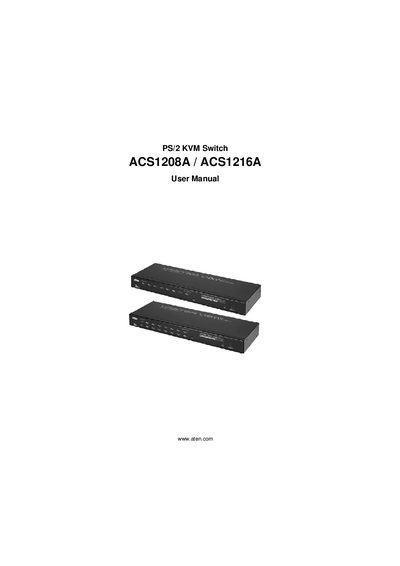
ATEN ACS1208A/ACS1216A KVM Switch User Manual
This manual covers all aspects of the ATEN ACS1208A/ACS1216A KVM switch series, including hardware setup, hotkey and OSD operation, firmware upgrades, and technical specifications. It guides users through single‑stage installation, rack mounting, daisy‑chaining, and hot‑plugging procedures.
The document also includes safety information, FCC and RoHS compliance statements, troubleshooting tips, and contact details for technical support. Detailed tables list connector types, power requirements, and environmental limits for both the ACS1208A (8‑port) and ACS1216A (16‑port) models.
ATEN CS-12 specifications
| Number of ports | 4 |
|---|---|
| Maximum resolution | 1920x1440 |
| Maximum bandwidth | 180 MHz |
| Supported mouse | MS Intellimouse (3 keys) |
| Cascadable levels | Up to 3 levels (64 computers) |
| Hot‑pluggable | Yes |
| Rack mountable | Optional rack panel (Part No. 2X-004) |
Source: ATEN CS-124A User Manual
All ATEN CS-12 documents by type
Day-to-day operation, settings and troubleshooting. Start here if the product is already set up.
Questions answered in these manuals
How many computers can the CS-124A control?
It can control up to 64 computers when cascaded to three levels.
From: ATEN CS-124A User Manual
What should I do if the keyboard stops responding?
Reset the keyboard by unplugging it from the Console Keyboard Port and plugging it back in.
From: ATEN CS-124A User Manual
How many computers can the CS-128A control directly and via cascading?
It can control up to 8 computers directly and up to 512 computers when cascaded through three levels.
From: ATEN CS-128A User Manual
Is any software required to operate the CS-128A?
No software is required; computers are selected via front‑panel switches, hot‑keys, or the OSD.
From: ATEN CS-128A User Manual
What video resolution does the CS-1200L support?
It supports video resolutions up to 1024 × 768.
What connectors are provided on the CS-1200L?
The console includes a 6‑pin mini‑DIN keyboard connector, a 6‑pin mini‑DIN mouse connector, an HDB‑15 video connector, and an AC input socket.