
Key facts
- Brand
- ATEN
- Model
- KN2116A
- Documents
- 3
- Languages
- ZH · EN
- Last added
- 2012-02-19
Start here
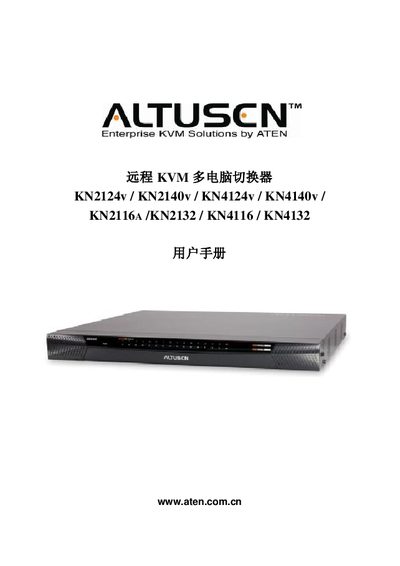
ATEN KN2124V/KN2140V/KN4124V/KN4140V/KN2116A/KN2132/KN4116/KN4132 User Manual
This manual provides installation, configuration and operation instructions for ATEN's remote KVM multi‑computer switches. It covers hardware setup, rack mounting, module connections, power management, and network configuration for the listed KN series models.
The guide also includes safety notices, FCC and RoHS compliance information, warranty terms, and details on user management, virtual media support, and advanced security features. Online registration and phone support contacts are provided for each region. This manual is written in Chinese.
ATEN Altusen KN2116A specifications
| Maximum video resolution | 1600 x 1200 @ 60 Hz, up to 32‑bit color depth |
|---|---|
| Supported input interfaces | PS/2, USB, Sun Legacy (13W3), RS‑232 |
| Power input | 100‑240 VAC, 50/60 Hz, 10 A |
| Encryption algorithms | 1024‑bit RSA, 256‑bit AES |
| Network ports | 16 RJ45 (Cat5e/6) |
All ATEN Altusen KN2116A documents by type
Day-to-day operation, settings and troubleshooting. Start here if the product is already set up.
Questions answered in these manuals
What video resolution does the KN2116A support?
The device supports a maximum resolution of 1600 × 1200 @ 60 Hz with up to 32‑bit color depth.
Does the KN2116A support Power over Ethernet?
Yes, it includes optional Power‑over‑Ethernet capability.
How can I register my Altusen KVM product?
Register the product at ATEN’s online support center using the provided URLs for international or North America registration.
From: ATEN KN2124v/KN2140v/KN4124v/KN4140v/KN2116A/KN2132/KN4116/KN4132 User Manual
Does ATEN provide any warranty or guarantee in this manual?
The manufacturer makes no representations or warranties, expressed or implied, regarding the contents of the manual.
From: ATEN KN2124v/KN2140v/KN4124v/KN4140v/KN2116A/KN2132/KN4116/KN4132 User Manual
How can I register my ATEN KVM product online?
Visit ATEN's online support center at http://support.aten.com for registration, or use the regional URLs listed for North America, ATEN TECH, ATEN NJ, and China.
From: ATEN KN2124V/KN2140V/KN4124V/KN4140V/KN2116A/KN2132/KN4116/KN4132 User Manual
What warranty does the ATEN remote KVM switch provide?
The product is covered by a one‑year warranty against material and workmanship defects from the date of purchase.
From: ATEN KN2124V/KN2140V/KN4124V/KN4140V/KN2116A/KN2132/KN4116/KN4132 User Manual