
Key facts
Start here
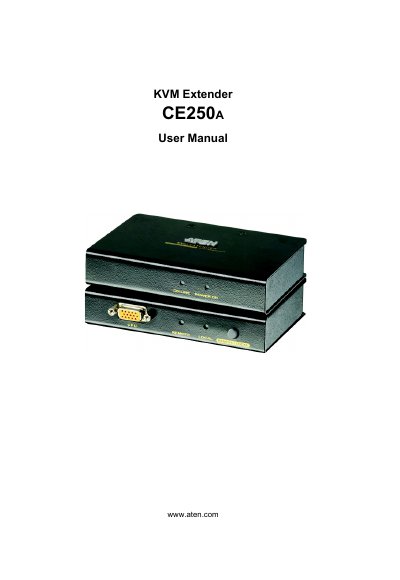
ATEN CE250A User Manual
This manual explains how to install, configure, and operate the ATEN CE250A KVM Extender system. It includes safety information, wiring diagrams, and troubleshooting guidance to help users get the most from the device.
The document also details package contents, registration procedures, and warranty terms, and provides a full table of contents covering introduction, hardware setup, operation modes, specifications, and technical support.
ATEN CE-250 specifications
| Keyboard connector | 2‑pin Mini‑DIN |
|---|---|
| Mouse connector | 2‑pin Mini‑DIN |
| Monitor connector | 1× HDB‑15 |
| Maximum cable length | 150 m |
| Video resolution | 1280 × 1024 |
| Power consumption (local) | AC 9 V, 2.7 W (max) |
| Housing material | Plastic |
| Weight (local unit) | 0.30 kg |
| Dimensions (local unit) | 13 × 10 × 3.5 cm |
Source: ATEN CE-250 User Manual
All ATEN CE-250 documents by type
Day-to-day operation, settings and troubleshooting. Start here if the product is already set up.
Questions answered in these manuals
What is the maximum cable length supported by the CE-250?
The CE-250 can operate with a Category 5 cable up to 150 meters long.
From: ATEN CE-250 User Manual
What video resolution does the CE-250 support?
It supports video resolutions up to 1280 × 1024.
From: ATEN CE-250 User Manual
How can I register my CE250A product?
Register the product at ATEN's online support center using the URLs provided for international and North America users.
From: ATEN CE250A User Manual
What items are included in the CE250A package?
The package includes a local unit, a remote unit, a custom KVM cable, a power adapter, a rack‑mount kit, grounding wires, a user manual, a quick‑start guide, and a grounding information card.
From: ATEN CE250A User Manual
What is the maximum distance the CE250A can extend KVM signals?
The CE250A can extend KVM signals up to 150 meters.
What video resolution does the CE250A support?
It supports video resolutions up to 1280 × 1024 at 60 Hz.