
Key facts
- Brand
- ATEN
- Model
- SN3101
- Category
- Network Switches
- Industry
- Computers
- Documents
- 3
- Languages
- ZH · EN
- Last added
- 2022-09-15
Start here
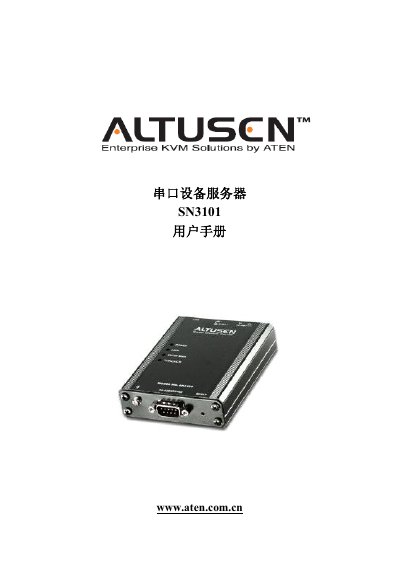
ATEN SN3101 Serial Device Server User Manual
The ATEN SN3101 Serial Device Server is a device designed to connect serial devices to a network. This manual covers the product's features, physical installation, and software configuration. This manual is written in Chinese.
Read onlineATEN Altusen SN3101 specifications
| Serial Port | 1 × DB‑9 male (black) |
|---|---|
| Network Interface | 1 × RJ‑45 (black) |
| Power Input (PWR1) | 12–48 V DC (2‑pin terminal) |
| Power Adapter Input | 100–240 V AC, 50–60 Hz |
| Baud Rate | Up to 460 Kbps |
| Supported Network Protocols | ARP, DHCP, DNS, HTTP, HTTPS, ICMP, IP, TCP, UDP, NTP, PPP, RADIUS, Telnet, SNMP, SMTP, SSH |
| Operating Temperature | 0 °C to 60 °C |
| Dimensions (L×W×H) | 10.69 × 7.90 × 2.44 cm |
| Weight | 0.22 kg |
All ATEN Altusen SN3101 documents by type
Day-to-day operation, settings and troubleshooting. Start here if the product is already set up.
Questions answered in these manuals
What is the SN3101 device server used for?
The manual describes the product as a serial device server.
Which voltage setting must be selected before operating the device?
You must select the correct operation voltage setting before using the device to avoid damage.
How can I register my SN3101 product?
Register the product online at ATEN’s support site (http://support.aten.com) or the North America site (http://aten-usa.com/product_registration).
What telephone numbers are available for support?
International support: 886‑2‑8692‑6959; North America support: 1‑888‑999‑ATEN or 1‑732‑356‑1703.
How can I register the SN3101 online?
Visit ATEN’s online support center and use the product registration page at http://support.aten.com (International) or the regional sites for ATEN TECH and ATEN NJ.
What power supplies does the SN3101 accept?
The device can be powered by a 12–48 V DC supply via a 2‑pin terminal (PWR1) or a 9–30 V DC supply via the power‑adapter socket (PWR2), and the adapter itself accepts 100–240 V AC, 50–60 Hz.