
Key facts
- Brand
- ATEN
- Model
- CE790
- Category
- Other device
- Industry
- Computers
- Documents
- 5
- Languages
- ZH
- Last added
- 2012-03-12
Start here
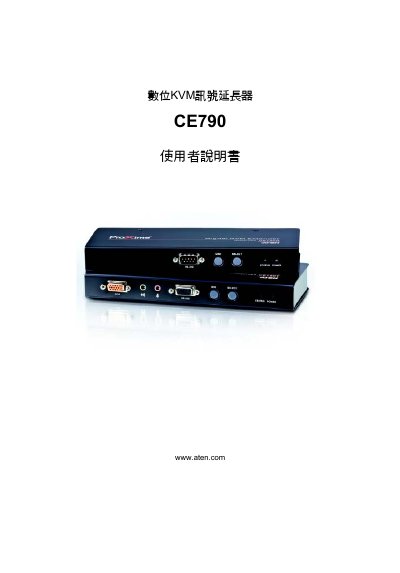
ATEN CE790 Digital KVM Signal Extender User Manual
The ATEN CE790 digital KVM signal extender manual guides users through product features, hardware installation, and operation of both the transmitter (CE790T) and receiver (CE790R). It includes detailed steps for connecting USB, video, audio, and network interfaces, as well as configuring OSD settings and firmware updates.
Additional sections cover packaging contents, LED indicator meanings, power specifications, environmental limits, and a troubleshooting guide to resolve common issues such as no image or poor image quality. This manual is written in Chinese.
ATEN CE790 specifications
| USB Type‑A connector (host) | 1 x USB Type‑A (female, white) |
|---|---|
| Video connector | 1 x HDB‑15 (female, blue) |
| RS‑232 ports | 1 x DB‑9 (female, black), 1 x DB‑9 (male, black) |
| Network port | 1 x RJ‑45 (female, black) |
| Power consumption | DC 5.3 V, 6.62 W (typical) |
| Maximum video resolution | 1920 × 1080 |
| Operating temperature | 0 °C – 50 °C |
| Storage temperature | -20 °C – 60 °C |
| Weight | 0.50 kg (CE790T), 0.48 kg (CE790R) |
| Dimensions (L×W×H) | 20.0 mm × 8.0 mm × 2.5 mm |
All ATEN CE790 documents by type
Day-to-day operation, settings and troubleshooting. Start here if the product is already set up.
Questions answered in these manuals
How can I improve image quality on the CE790?
Use the OSD menu to change the image quality setting from Normal to High or Ultra‑High.
What power does the CE790 require?
The unit operates from a 5.3 V DC supply and consumes about 6.62 W of power.
What video resolution does the CE790 support?
It supports a maximum video resolution of 1920 × 1080.
How many USB Type‑A ports are provided on the CE790?
The device includes one USB Type‑A female port.