
Key facts
- Brand
- Ricoh
- Model
- CX4
- Category
- Digital cameras
- Industry
- Electronics
- Documents
- 14
- Languages
- FR · DE · JA · NL · DA · SV · ZH
- Last added
- 2012-07-09
Start here
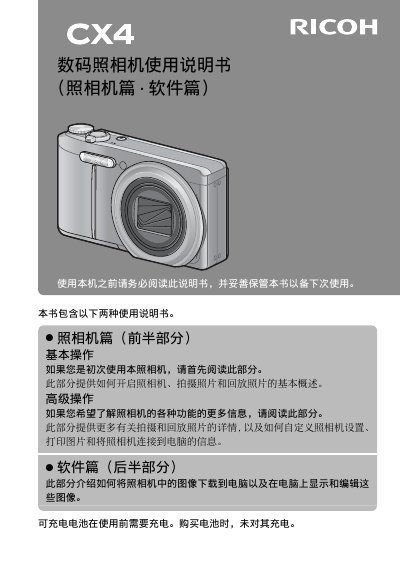
Ricoh CX4 Digital Camera User Manual
This user manual for the Ricoh CX4 digital camera is divided into a camera section and a software section. It explains basic operation, advanced shooting and playback features, camera settings, printing, and connecting the camera to a computer.
The camera section covers safety precautions, setup, charging the rechargeable battery, formatting storage, autofocus and scene modes, image quality, exposure, white balance, movie mode, playback, and direct printing. The software section covers downloading images to a computer and displaying and editing them. This manual is written in Chinese.
Ricoh CX4 specifications
| Document language | Chinese |
|---|---|
| Copyright year | 2010 |
| Storage media | SD memory card |
| Supported computer operating systems | Microsoft Windows, Windows Vista, Windows 7 |
All Ricoh CX4 documents by type
Day-to-day operation, settings and troubleshooting. Start here if the product is already set up.
- Ricoh CX4 Digital Camera User Manual 145 p
- Ricoh CX4 Digital Camera User Manual 145 p
- Ricoh CX4 Digital Camera User Manual 145 p
- Ricoh CX4 Digital Camera User Manual 142 p
- RICOH CX4 camera Manual(6)
- Ricoh CX4 Camera User Manual 145 p
- Ricoh CX4 Camera User Manual 145 p
- Ricoh CX4 Camera User Manual 145 p
- RICOH CX4 camera Manual(1)(1)
- Ricoh CX4 Point-and-Shoot Camera User Manual 148 p
- RICOH CX4 camera Manual(1)
- Ricoh CX4 Digital Camera User Manual 142 p
- Ricoh CX4 Digital Camera User Manual 178 p
Mounting, wiring and first power-up. Read it before the hardware goes in.
Questions answered in these manuals
Where is the serial number located?
The serial number of this product is engraved under the camera.
Is the battery charged when purchased?
No, the rechargeable battery must be charged before use as it is not included.
What must be done to the battery before using the camera?
The battery must be charged before use because it is not included in a charged state when purchased.
What steps should be taken if liquid from the display leaks onto the skin?
Wipe off the liquid and thoroughly rinse the affected area with water, then wash it thoroughly with soap.
Where is the product's serial number located?
The serial number is engraved under the camera.
What must be done before using the rechargeable battery for the first time?
The battery must be charged because it is not included when purchased.