
Key facts
- Brand
- Ricoh
- Model
- SC-10 Series
- Category
- Other software
- Industry
- Software
- Documents
- 2
- Languages
- EN · ZH
- Last added
- 2026-11-10
Start here
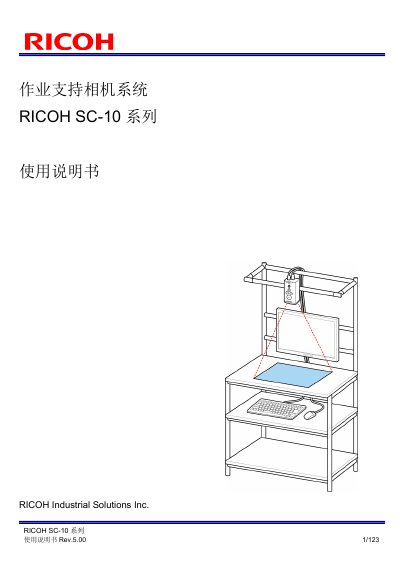
Ricoh SC-10 Series Work Support Camera System User Manual
The RICOH SC-10 Series is a work support camera system. This User Manual explains correct use and safety precautions, and guides users from package contents and part names through setup and connection to operation.
It covers connecting an AC adapter or external power supply and external devices for I/O, socket communication, or Ethernet/IP; power-on and initial settings; job creation and parameter settings; network, sound/LED, clock, and external I/O settings; operation and interruption; image files and logs; troubleshooting, specifications, and external dimensions. The document also includes wireless regulatory information, with an operating frequency of 2.4 - 2.4835 GHz, EIRP below 20 dBm, and maximum power spectral density below 10 mW/MHz. This manual is written in Chinese.
RICOH SC-10 Series specifications
| Supported operating systems | Windows 7, 8, 8.1 and 10 (32-bit/64-bit) |
|---|---|
| Required runtime | Microsoft .NET Framework 4.5 or later |
| Required office software | Microsoft Office 2007, 2010, 2013, 2016 or 2019 (Word, PowerPoint, Excel) |
| Hard disk space | 1.0 GB of free space |
| Display | Screen resolution of 1024x768 |
| Supported import formats | .docx, .xlsx, .pptx, .bmp, .png, .jpg/.jpeg |
All RICOH SC-10 Series documents by type
Day-to-day operation, settings and troubleshooting. Start here if the product is already set up.
Questions answered in these manuals
Which file formats can the Instructions Editor import?
It imports Microsoft Office Word (.docx), Excel (.xlsx) and PowerPoint (.pptx) documents, plus Bitmap (.bmp), PNG (.png) and JPEG (.jpg/.jpeg) images.
Why does the installation fail?
The installation will fail if Microsoft Office is not installed; install it and then perform the installation again.
What is included with the SC-10 Series?
The package includes the main unit, AC adapter, AC power cord, hex wrench, Quick Start Guide, DVD, and a Please Read First sheet.
From: Ricoh SC-10 Series Work Support Camera System User Manual
How long should I wait before turning the power on again?
Wait at least 30 seconds before turning the power on from the off or power-off state.
From: Ricoh SC-10 Series Work Support Camera System User Manual