
Key facts
- Brand
- Philips
- Model
- SRU5110
- Category
- Other Electronics
- Industry
- Electronics
- Documents
- 2
- Languages
- EN
- Last added
- 2026-11-11
Start here
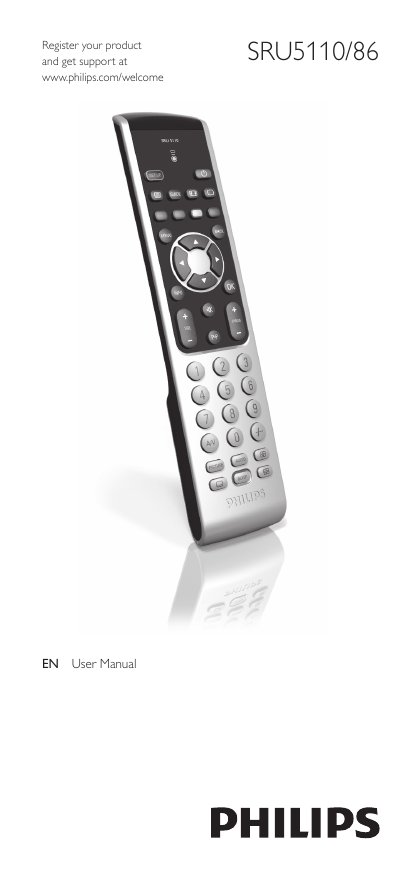
Philips SRU5110/86 Universal Remote User Manual
This manual explains how to install the batteries, set up the remote for your TV, and use the various buttons and functions. It also includes a quick start guide, detailed button descriptions, and instructions for resetting improved buttons.
The service section covers common problems, FAQs, battery replacement, and contact information for further help. A comprehensive brand code list is provided for programming the remote to work with many TV manufacturers.
Philips SRU5110 specifications
| Supported devices | TV |
|---|---|
| Number of keys | 37 |
| Operating distance | 33 ft (10 m) |
| Carrier frequency range | 24 - 55 kHz |
| Transmission angle | 90 degree |
| Number of brands in database | Over 1000 |
| Battery type | AAA |
| Battery lifetime | 12 Months |
| Number of batteries | 2 |
| Language support | GB/F/D/NL/DK/S/N/FIN |
Source: Philips SRU5110 Universal TV Remote Control Product Leaflet
All Philips SRU5110 documents by type
Day-to-day operation, settings and troubleshooting. Start here if the product is already set up.
Questions answered in these manuals
How does SimpleSetup work on the Philips SRU5110?
It requires looking up and entering the brandcode, pressing the on/off button until the device goes off, and checking that all keys work.
From: Philips SRU5110 Universal TV Remote Control Product Leaflet
What devices can the Philips SRU5110 remote control?
It is listed for TV use and works with more than 1000 devices.
From: Philips SRU5110 Universal TV Remote Control Product Leaflet
How do I insert the batteries?
Press the cover inward, slide it, place two AAA batteries in the compartment, then replace the cover firmly.
What should I do if the remote does not respond?
Replace the batteries and then test the remote; if it still does not work, re‑enter setup mode and program the correct code.