
Key facts
- Brand
- Panasonic
- Model
- DMC-ZR1
- Category
- Digital cameras
- Industry
- Electronics
- Documents
- 3
- Languages
- EN · ES
- Last added
- 2012-08-10
Start here
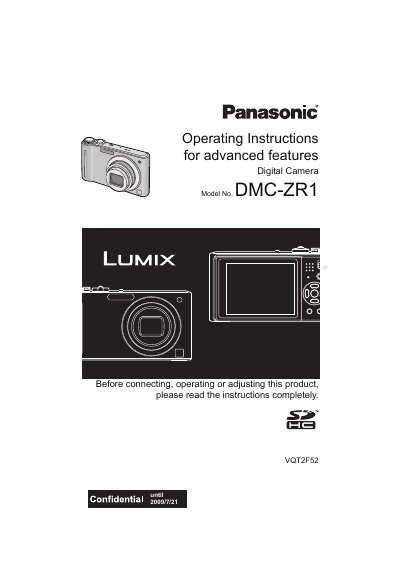
Panasonic DMC-ZR1 Digital Camera Operating Instructions
This manual provides operating instructions for the Panasonic DMC-ZR1 digital camera. It covers essential topics such as charging the battery, inserting the memory card, and setting the date and time. The guide explains how to use the camera's various modes, including Intelligent Auto Mode, Normal Picture Mode, and Scene Mode, as well as how to take close-up pictures and use the self-timer.
Read onlinePanasonic DMC-ZR1 specifications
| Supported Memory Card | SD Memory Card and SDHC Memory Card |
|---|---|
| Built-in Memory | Yes |
| Motion Picture Recording Limit | Up to 2 GB or 15 minutes |
Source: Panasonic DMC-ZR1 Digital Camera Operating Instructions
All Panasonic DMC-ZR1 documents by type
Day-to-day operation, settings and troubleshooting. Start here if the product is already set up.
Questions answered in these manuals
Can I record pictures without a memory card?
Yes, you can record or play back pictures on the built-in memory when you are not using a card.
From: Panasonic DMC-ZR1 Digital Camera Operating Instructions
What is the maximum continuous recording time for motion pictures on a 16GB card?
The maximum continuous recording time is 8 hours and 35 minutes.
From: Panasonic DMC-ZR1 Digital Camera Operating Instructions
What type of memory cards are compatible with this camera?
The camera supports SD memory cards (8 MB to 2 GB) and SDHC memory cards (4 GB to 32 GB).
What should I do if condensation forms on the lens?
Turn off the camera and leave it for approximately 2 hours until the fog disappears naturally.