
Key facts
Start here
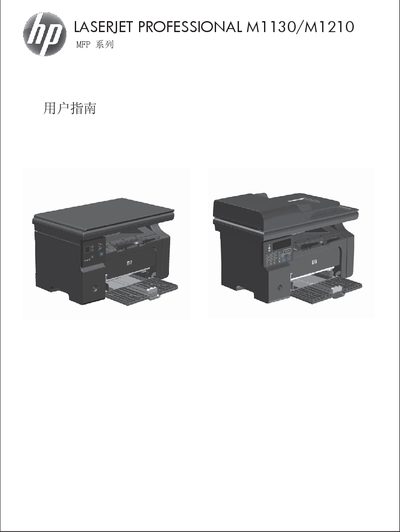
HP LaserJet Professional M1130/M1210 MFP Series User Guide
This guide covers the HP LaserJet Professional M1130/M1210 multifunction printer, describing its hardware layout, control panel, and basic specifications. It explains how to install the device, connect it to Windows or Mac systems, and configure network or USB connections.
Detailed sections walk through paper handling, supported media, print job settings, copying, scanning, and fax (M1210 only), as well as troubleshooting tips and service information. The manual includes step‑by‑step procedures for changing default paper settings, adjusting print quality, and using HP software tools. This manual is written in Chinese.
HP M1210 specifications
| Input tray capacity | 150 sheets of 60 g/m² (16 lb) bond |
|---|---|
| Output bin capacity | Up to 100 sheets of 75 g/m² (20 lb) bond |
| Supported paper weight range | 60 g/m² (16 lb) to 163 g/m² (43 lb) bond |
Source: HP LaserJet Professional M1130/M1210 MFP Series User Guide
All HP M1210 documents by type
Day-to-day operation, settings and troubleshooting. Start here if the product is already set up.
Questions answered in these manuals
What is the maximum number of sheets the input tray can hold?
The input tray can hold up to 150 sheets of 60 g/m² (16 lb) bond paper.
From: HP LaserJet Professional M1130/M1210 MFP Series User Guide
Which paper weights are supported by the printer?
The printer supports paper weights from 60 g/m² (16 lb) up to 163 g/m² (43 lb) bond.
From: HP LaserJet Professional M1130/M1210 MFP Series User Guide
How do I change the default paper size on the M1130 series?
Use the menu option “更改默认纸张尺寸设置( M1130 系列)” to adjust the default paper size.
What types of paper and media are supported by the printer?
The printer supports a variety of paper and print media as described in the guide, and only HP‑branded laser‑compatible media is recommended.
What paper types are recommended for this printer?
Use HP brand paper that is designed for laser or multifunction printers; avoid inkjet‑type paper.
From: HP LaserJet Professional M1130/M1210 MFP Series User Guide
How can I change the default paper size on the M1130 series?
Select the menu option to change the default paper size settings for the M1130 series.
From: HP LaserJet Professional M1130/M1210 MFP Series User Guide