
Key facts
- Brand
- HP
- Model
- LC3760N
- Category
- Other Electronics
- Documents
- 3
- Languages
- EN
- Last added
- 2012-06-04
Start here
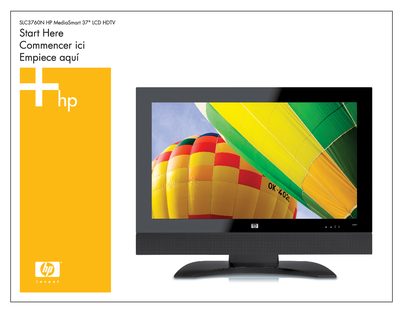
HP SLC3760N MediaSmart LCD HDTV Quick Start Guide
This guide walks you through the initial installation of the HP SLC3760N MediaSmart LCD HDTV. It covers connecting the power cable, video source (component or HDMI), and attaching the antenna or cable, then linking the TV to a wired or wireless home network before installing the MediaSmart software on a Windows PC.
The document also lists the items included in the box, provides safety warnings, and gives instructions for configuring network settings, sharing media from your PC, and using the remote control.
HP LC3760N specifications
| Screen size | 37" |
|---|---|
| Resolution | 1366x768 |
| Dynamic contrast ratio | up to 6000:1 |
| Response time | as fast as 6 ms |
| Viewing angle | 176° |
| Audio output power | 20 W |
| Power supply | 120 V AC 60 Hz |
| Dimensions (with stand) | 29.3" × 37.3" × 12" |
Source: HP SLC3760N 37" Advanced Digital Media LCD TV User Manual
All HP LC3760N documents by type
Day-to-day operation, settings and troubleshooting. Start here if the product is already set up.
The shortest path to a working setup, usually only a few pages.
Ratings, dimensions and ordering codes, for selection and design work.
Questions answered in these manuals
How can the TV be connected to the internet?
It can connect via a built‑in 10/100 Ethernet port or IEEE 802.11a/b/g wireless networking.
From: HP SLC3760N 37" Advanced Digital Media LCD TV User Manual
What is the dynamic contrast ratio of the TV?
The TV provides a dynamic contrast ratio of up to 6000:1.
From: HP SLC3760N 37" Advanced Digital Media LCD TV User Manual
What cables are required for HDTV setup?
You need a component (YPbPr) cable or an HDMI cable to receive high‑definition content from a set‑top box.
What information is needed to connect the TV to a wireless network?
You must know the network name (SSID) and the security password (WEP or WPA key).
What is the dynamic contrast ratio of the HP LC3760N TV?
It provides a dynamic contrast ratio of up to 6,000:1.
What connectivity ports are available on the HP LC3760N?
The TV offers dual HDMI ports, component‑video, composite, S‑Video inputs, an integrated HD tuner, and analog/digital audio outputs.