
Key facts
Start here
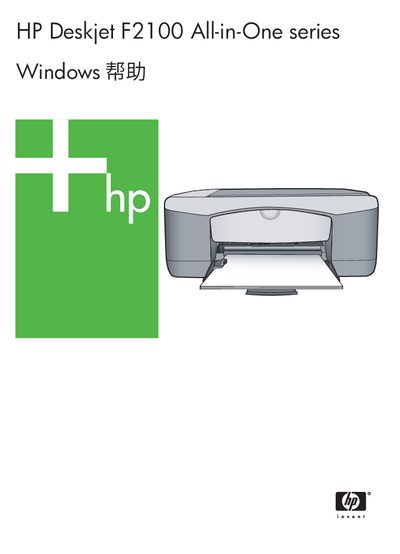
HP Deskjet F2100 All-in-One Series User Manual
This manual covers the HP Deskjet F2100 All-in-One printer, describing its main features, control‑panel buttons, status indicators, and the HP Photosmart software. It guides users through loading paper and media, connecting the device, and using the printer from a computer.
Detailed sections explain how to print, copy, and scan documents, adjust settings such as paper size, resolution, and duplex mode, and perform routine maintenance like cleaning the glass plate and replacing ink cartridges. Troubleshooting tips, warranty information, and technical specifications are also included. This manual is written in Chinese.
HP F2100 specifications
| Height | 16.97 cm |
|---|---|
| Width | 42.57 cm |
| Depth | 25.97 cm |
| Weight | 4.045 kg |
| Power consumption (average printing) | 20 W |
| Input voltage | AC 100‑240 V ~ 1 A 50‑60 Hz |
| Output voltage | DC 32 V / 375 mA, 16 V / 500 mA |
| Paper input capacity | Up to 100 sheets (20 lb) |
| Paper output capacity | Up to 50 sheets (20 lb) |
All HP F2100 documents by type
Day-to-day operation, settings and troubleshooting. Start here if the product is already set up.
Mounting, wiring and first power-up. Read it before the hardware goes in.
Questions answered in these manuals
How do I clear a paper jam?
Turn the HP All‑in‑One off, unplug the power cord, wait a minute, then plug it back in and turn it on again. If the lights keep flashing, repeat the steps or contact HP support.
What are the recommended operating temperature ranges?
The recommended operating temperature is 15 °C to 30 °C (59 °F to 86 °F). The allowable range is 10 °C to 35 °C (50 °F to 95 °F).
What should I do if the USB connection prompt does not appear during Windows setup?
Cancel all screens, remove and re‑insert the green HP All‑in‑One Windows CD, then follow the on‑screen instructions.
How do I install the ink cartridges?
Remove the tape from both cartridges, hold each cartridge with the HP logo facing up, and insert the tri‑color cartridge on the left and the black cartridge on the right, pushing firmly until they snap into place.