
Key facts
Start here
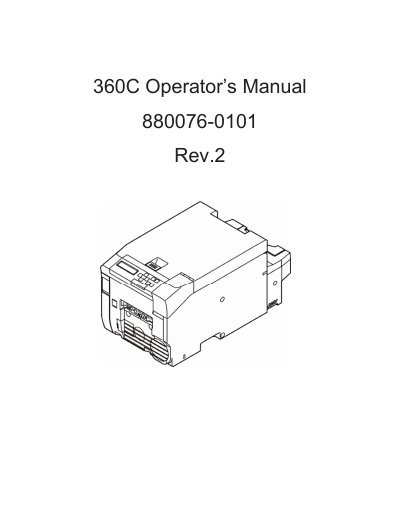
HP 360C Operator’s Manual
This manual provides step-by-step instructions for installing, configuring, and operating the HP 360C printer. It includes sections on connecting via wired or wireless LAN, adjusting print settings, replacing consumables, and troubleshooting common issues. The guide also covers network configuration, security settings, and maintenance procedures to ensure optimal performance.
The document is structured with clear sections for safety, installation, operation, maintenance, and troubleshooting, making it easy for users to find specific information. Technical specifications for the Pro330 model are included, detailing power requirements, print speed, supported OS, and network protocols.
HP 360C specifications
| Processor | 4th Generation Intel processors (Core i7-4510U, Core i5-4210U, Core i3-4030U) |
|---|---|
| Display | 15.6-in [39.6-cm] (1920×1080), high-definition (FHD), light emitting diode (LED) |
| Memory | Support for 8192-MB of DDR3L-1600-MHz system ram |
| Operating Temperature | 5°C to 35°C (41°F to 95°F) |
| Input Power | 19.5 V dc @ 3.33 A – 65 W |
| Hard Drive Interface | SATA |
Source: HP ENVY x360 Convertible PC Maintenance and Service Guide
All HP 360C documents by type
Disassembly, diagnostics and part numbers, for repair.
Day-to-day operation, settings and troubleshooting. Start here if the product is already set up.
Questions answered in these manuals
Who is this manual intended for?
This document is intended for HP authorized service providers only.
From: HP ENVY x360 Convertible PC Maintenance and Service Guide
What tools are required for removal and replacement procedures?
The manual lists specific tools required in the preliminary requirements section, though it does not list them explicitly in the provided text.
From: HP ENVY x360 Convertible PC Maintenance and Service Guide
What is the print speed of the HP 360C?
The maximum print speed is 6 IPS.
What operating systems are supported?
Windows 10, Windows Server 2016, Windows 8.1, Windows Server 2012 R2, Windows 8, Windows Server 2012, Windows 7, Windows Server 2008 R2, and Windows Server 2008.
Who is this guide intended for?
This document is intended for HP authorized service providers only.
From: HP Spectre x360 Convertible PC Maintenance and Service Guide
What tools are required for service?
The guide lists tools required in the preliminary requirements section, though specific tool names are not detailed in the provided text.
From: HP Spectre x360 Convertible PC Maintenance and Service Guide