
Key facts
Start here
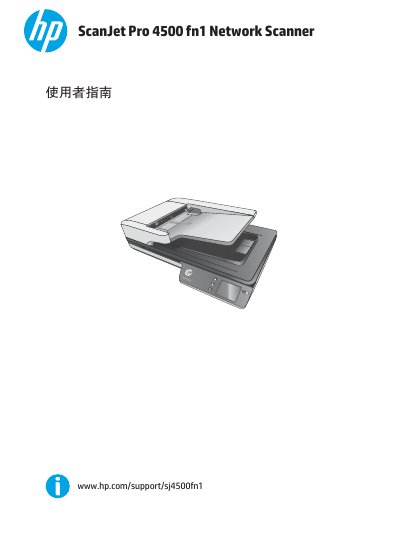
HP ScanJet Pro 4500 fn1 Network Scanner User Guide
This guide describes the HP ScanJet Pro 4500 fn1 network scanner. It presents the scanner's front and rear views, the location of the product and serial numbers, and the touch panel controls. It also lists product specifications, supported operating systems, dimensions, power consumption, and operating environment ranges.
The guide explains hardware setup and software updates, scanner features, and the Windows and OS X scanning software, including HP Scan, HP Scanner Tools Utility, HP TWAIN, ISIS, WIA, HP Easy Scan, HP Utility, and the embedded web server. It covers loading originals, scanning from the hardware or software, maintenance and part replacement, and troubleshooting for installation, power, jams, feeding, image quality, connection, button, performance, OCR, and email issues. This manual is written in Chinese.
HP ScanJet Pro 4500 fn1 specifications
| ADF Capacity | 50 sheets (75 g/m²) |
|---|---|
| Minimum Paper Size | 148 x 51 mm |
| Maximum Paper Size | 3100 x 216 mm |
| Paper Weight Range | 45–120 g/m² |
| Power Consumption (Scanning) | AC110V: 8.47 W (300 dpi) / 15.2 W (600 dpi duplex) |
| Operating Temperature | 10°C to 35°C |
| Supported Operating Systems | Windows 7, 8, 8.1, 10; OS X El Capitan 10.11 |
All HP ScanJet Pro 4500 fn1 documents by type
Day-to-day operation, settings and troubleshooting. Start here if the product is already set up.
Questions answered in these manuals
What is the automatic document feeder capacity?
The ADF holds up to 50 sheets of 75 g/m² paper.
Which operating systems are supported?
Windows 7, 8, 8.1, 10 and OS X El Capitan 10.11 are supported.
What does the HP ScanJet Pro 4500 fn1 user guide cover?
It covers important information about the HP ScanJet Pro 4500 fn1 network scanner.
Where are the serial number and product number located?
They are located on the bottom of the scanner.