
Key facts
Start here
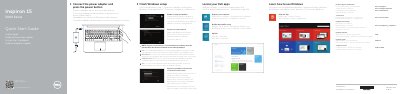
Dell Inspiron 15 5000 Series Quick Start Guide
This guide helps you set up your Dell Inspiron 15 5000 Series laptop. Connect the power adapter, complete Windows setup, and register your computer. It also explains how to connect to your network and use shortcut keys for audio, volume, and display control.
The laptop features an Intel RealSense 3D camera (optional), USB 3.0 ports, HDMI, and a media card reader. It includes status indicators for power, battery, and hard drive. The guide covers basic operations like signing in to a Microsoft account or creating a local account, and managing security and updates.
Dell Inspiron 15 5000 Series specifications
| Regulatory model | P51F |
|---|---|
| Regulatory type | P51F001, P51F002, P51F003, P51F005 |
| Computer models | Inspiron 15-5551, Inspiron 15-5552, Inspiron 15-5555, Inspiron 15-5558 |
| Power supply voltage | 100 V AC–240 V AC |
| Power supply frequency | 50 Hz–60 Hz |
| Input current consumption | 1.50 A/1.60 A/1.70 A |
| Output voltage | 19.50 V DC |
| Output current consumption | 2.31 A/3.34 A |
| Country of origin | Made in China |
Source: Dell Inspiron 15 5000 Series Laptop Quick Start Guide
All Dell Inspiron 15 5000 Series documents by type
The shortest path to a working setup, usually only a few pages.
- Dell Inspiron 15 5000 Series Quick Start Guide 2 p
- Dell Inspiron 15 5000 Series Notebook Quick Start Guide 2 p
- Dell Inspiron 15 5000 Series Laptop Quick Start Guide 2 p
- Dell Inspiron 15 5000 Series Laptop Quick Start Guide 2 p
- Dell Inspiron 15 5000 Series Quick Start Guide 2 p
- Dell Inspiron 15 5000 Series Quick Start Guide 2 p
- Dell Inspiron 15 5000 Series Notebook Quick Start Guide 2 p
- Dell Inspiron 15 5000 Series Notebook Quick Start Guide 2 p
- Dell Inspiron 15 5000 Series Quick Start Guide 2 p
- Dell Inspiron 15 5000 Series Laptop Quick Start Guide 2 p
- Dell Inspiron 15 5000 Series Laptop Quick Start Guide 2 p
- Dell Inspiron 15 5000 Series Laptop Quick Start Guide 2 p
- Dell Inspiron 15 5000 Series Computer Quick Start Guide 2 p
- Dell Inspiron 15 5000 Series Laptop Quick Start Guide 2 p
- Dell Inspiron 15 5000 Series Laptop Quick Start Guide 2 p
- Dell Inspiron 15 5000 Series Quick Start Guide 2 p
- Dell Inspiron 15 5000 Series Laptop Quick Start Guide 2 p
- Dell Inspiron 15 5000 Series Laptop Quick Start Guide 2 p
- Dell Inspiron 7000 Series Notebook Quick Start Guide 2 p
- Dell Inspiron 15 5000 Series Laptop Quick Start Guide 2 p
- Dell Inspiron 15 5000 Series Quick Start Guide 2 p
- Dell Inspiron 15 5000 Series Laptop Quick Start Guide 2 p
- Dell Inspiron 15 5000 Series Quick Start Guide 2 p
- Dell Inspiron 15 5000 Series Quick Start Guide 2 p
- Dell Inspiron 15 5000 Series Quick Start Guide 2 p
- Dell Inspiron 15 5000 Series Notebook Quick Start Guide 2 p
- Dell Inspiron 15 5000 Series Quick Start Guide 2 p
- Dell Inspiron 15 5000 Series Quick Start Guide 2 p
- Dell Inspiron 15 5000 Series Quick Start Guide 2 p
- Dell Inspiron 15 5000 Series Quick Start Guide 2 p
- Dell Inspiron 15 5000 Series Quick Start Guide 2 p
- Dell Inspiron 15 5000 Series Quick Start Guide 2 p
- Dell Inspiron 15 5000 Series Quick Start Guide 2 p
- Dell Inspiron 15 5000 Series Quick Start Guide 2 p
- Dell Inspiron 15 5000 Series Quick Start Guide 2 p
- Dell Inspiron 15 5000 Series Quick Start Guide 2 p
- Dell Inspiron 15 5000 Series Quick Start Guide 2 p
- Dell Inspiron 15 5000 Series Quick Start Guide 2 p
- Dell Inspiron 15 5000 Series Quick Start Guide 2 p
- Dell Inspiron 15 5000 Series Quick Start Guide 2 p
- Dell Inspiron 15 5000 Series Quick Start Guide 2 p
- Dell Inspiron 15 5000 Series Notebook Quick Start Guide 2 p
- Dell Inspiron 15 5000 Series Quick Start Guide 2 p
- Dell Inspiron 15 5000 Series Notebook Quick Start Guide 2 p
- Dell Inspiron 15 5000 Series Quick Start Guide 2 p
- Dell Inspiron 15 5000 Series Quick Start Guide 2 p
- Dell Inspiron 15 5000 Series Quick Start Guide 2 p
- Dell Inspiron 15 5000 Series Quick Start Guide 2 p
- Dell Inspiron 15 5000 Series Computer Quick Start Guide 2 p
- Dell Inspiron 15 5000 Series Quick Start Guide 2 p
- Dell Inspiron 15 5000 Series Quick Start Guide 2 p
- Dell Inspiron 15 5000 Series Computer Quick Start Guide 2 p
- Dell Inspiron 15 5000 Series Quick Start Guide 2 p
- Dell Inspiron 15 5000 Series Quick Start Guide 2 p
- Dell Inspiron 15 5000 Series Quick Start Guide 2 p
- Dell Inspiron 15 5000 Series Quick Start Guide 2 p
- Dell Inspiron 15 5000 Series Quick Start Guide 2 p
- Dell Inspiron 15 5000 Series Quick Start Guide 2 p
- Dell Inspiron 15 5000 Series Notebook Quick Start Guide 2 p
- Dell Inspiron 15 5000 Series Quick Start Guide 2 p
- Dell Inspiron 15 5000 Series Quick Start Guide 2 p
- Dell Inspiron 15 5000 Series Quick Start Guide 2 p
- Dell Inspiron 15 5000 Series Quick Start Guide 2 p
- Dell Inspiron 15 5000 Series Quick Start Guide 2 p
- Dell Inspiron 15 5000 Series Quick Start Guide 2 p
- Dell Inspiron 15 5000 Series Quick Start Guide 2 p
- Dell Inspiron 15 5000 Series Quick Start Guide 2 p
- Dell Inspiron 15 5000 Series Quick Start Guide 2 p
- Dell Inspiron 15 5000 Series Quick Start Guide 2 p
- Dell Inspiron 15 5000 Series Quick Start Guide 2 p
- Dell Inspiron 15 5000 Series Laptop Quick Start Guide 2 p
- Dell Inspiron 15 5000 Series Quick Start Guide 2 p
- Dell Inspiron 15 5000 Series Quick Start Guide 2 p
- Dell Inspiron 15 5000 Series Notebook Quick Start Guide 2 p
- Dell Inspiron 15 5000 Series Quick Start Guide 2 p
- Dell Inspiron 15 5000 Series Computer Quick Start Guide 2 p
- Dell Inspiron 15 5000 Series Quick Start Guide 2 p
- Dell Inspiron 15 5000 Series Laptop Quick Start Guide 2 p
- Dell Inspiron 15 5000 Series Computer Quick Start Guide 2 p
- Dell Inspiron 15 5000 Series Quick Start Guide 2 p
- Dell Inspiron 15 5000 Series Quick Start Guide 2 p
- Dell Inspiron 15 5000 Series Quick Start Guide 2 p
- Dell Inspiron 15 5000 Series Laptop Quick Start Guide 2 p
- Dell Inspiron 15 5000 Series Quick Start Guide 2 p
- Dell Inspiron 15 5000 Series Quick Start Guide 2 p
- Dell Inspiron 15 5000 Series Quick Start Guide 2 p
- Dell Inspiron 15 5000 Series Quick Start Guide 2 p
- Dell Inspiron 15 5000 Series Computer Quick Start Guide 2 p
- Dell Inspiron 15 5000 Series (Inspiron 5548) Computer Quick Start Guide 2 p
- Dell Inspiron 15 5000 Series Quick Start Guide 2 p
- Dell Inspiron 15 5000 Series Quick Start Guide 2 p
- Dell Inspiron 15 5000 Series Quick Start Guide 2 p
- Dell Inspiron 15 5000 Series Quick Start Guide 2 p
Disassembly, diagnostics and part numbers, for repair.
Day-to-day operation, settings and troubleshooting. Start here if the product is already set up.
Questions answered in these manuals
What is the service tag label on the device?
The service tag label is labeled as Service Tag label.
What are the specific models included in the Inspiron 15 5000 Series?
The series includes the Inspiron 15-5551, Inspiron 15-5552, Inspiron 15-5555, and Inspiron 15-5558.
From: Dell Inspiron 15 5000 Series Notebook Quick Start Guide
How do I create recovery media for the computer?
In Windows search, type Recovery, click Create a recovery media, and follow the instructions on the screen.
From: Dell Inspiron 15 5000 Series Notebook Quick Start Guide
How do I find more information about computer features and advanced options?
Click Start → All Programs → Dell Help Documentation.
What should I do when connecting to a secured wireless network?
Enter the password for the wireless network access when prompted.
How do I create recovery media?
In Windows search, type Recovery, click Create a recovery media, and follow the instructions on the screen.