
Dell Inspiron 15 5000 Series Quick Start Guide

Inspiron 15 5000 Series Quick Start Guide.
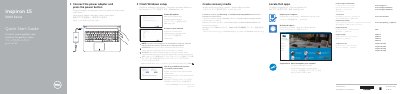

Dell Inspiron 15 5000 Series Quick Start Guide - cover page
Brand
DELL
Category
Laptops
Document type
Quick Start Guide
Language
English
Pages
2
File format
PDF
File size
541 KB
Published
20 November, 2023
Updated
20 November, 2023
MD5 checksum
9FA67922B2CDAD43D541CB333C4DCF77

About this manual

This document serves as a Quick Start Guide for the Dell Inspiron 15 5000 Series, providing instructions in multiple languages for connecting power, setting up Windows, and registering the device. It covers initial setup steps such as enabling updates and connecting to a network.

What's inside

  • Connect the power adapter
  • Finish Windows setup
  • Enable Dell updates
  • Connect to your network
  • Sign in to your Microsoft account
  • Product support and manuals
  • Features
  • Shortcut keys

Frequently asked questions

What steps are required to create recovery media for the computer?

In Windows search, type Recovery, click Create a recovery media, and follow the instructions on the screen.

What is the procedure for connecting to a secured wireless network?

Enter the password for the wireless network access when prompted.

Which specific models include the left microphone and network port?

The left microphone and network port are included only in the Inspiron 15-5558 and Inspiron 15-5555 models.

Download PDF (541 KB)

More DELL Manuals


View all DELL manuals →