
Key facts
Start here
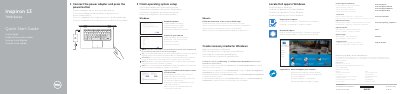
Dell Inspiron 13 7000 Series Quick Start Guide
This document serves as a Quick Start Guide for the Dell Inspiron 13 7000 Series laptops. It provides instructions in multiple languages for connecting the power adapter, turning on the device, and completing the operating system setup for Windows, Ubuntu, or other supported systems. The guide also details how to register the computer and access support resources. This manual is written in Spanish.
Read onlineDell Inspiron 1370 specifications
| Input Voltage | 100 V CA–240 V CA |
|---|---|
| Input Frequency | 50 Hz–60 Hz |
| Input Current | 1,30 A/1,60 A/1,70 A |
| Output Voltage | 19,50 V DC |
| Output Current | 2,31 A/3,34 A |
| Origin | China |
All Dell Inspiron 1370 documents by type
Disassembly, diagnostics and part numbers, for repair.
- Dell Inspiron 1370 Service Manual 46 p
- Dell Inspiron 1370 Service Manual 49 p
- Dell Inspiron 13 7000 2-in-1 Laptop (13-7373) Service Manual 100 p
- Dell Inspiron 13 7000 2-in-1 Service Manual 100 p
- Dell Inspiron 13 7000 Series (Inspiron 13-7347) Service Manual 85 p
- Dell Inspiron 13 7000 Series Inspiron 13–7353 Service Manual 101 p
- Dell Inspiron 13 7000 Series (13-7348) Service Manual 87 p
- Inspiron 13 7000 2-in-1 Service Manual 95 p
- Dell Inspiron 13 7000 2-in-1 Laptop Service Manual 137 p
- Dell Inspiron 13 7000 Series (Inspiron 13-7353) Service Manual 93 p
- Dell Inspiron 13 7000 Series Service Manual 99 p
- Dell Inspiron 13 7000 Series Service Manual 94 p
- Dell Inspiron 13 7000 Series Laptop Service Manual 96 p
- Dell Inspiron 13 7000 Service Manual 99 p
- Dell Inspiron 13 7000 Series Service Manual 97 p
- Dell Inspiron 13 7000 Series Service Manual 98 p
- Dell Inspiron 13 7000 Series Service Manual 94 p
The shortest path to a working setup, usually only a few pages.
Questions answered in these manuals
Who may repair the Dell Inspiron 1370?
Only certified service technicians may repair the computer; damage from unauthorized repair is not covered by warranty.
What should be checked about the work surface before disassembly?
Ensure the work surface is flat and clean to avoid scratching the computer cover.
What tools are recommended for this service manual?
The recommended tools include a small Phillips screwdriver, a small flathead screwdriver, and a plastic scraper.
Who should perform the repairs described in this manual?
Repairs should only be performed by a qualified Dell service technician, as unauthorized maintenance is not covered by the warranty.
How do I connect the power adapter?
Connect the power adapter and press the power button.
How do I enable Dell updates?
Enable Dell updates in the operating system settings.