
Key facts
Start here
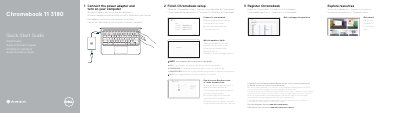
Dell Chromebook 11 3180 Quick Start Guide
This guide helps you set up your Dell Chromebook 11 3180 quickly. Connect the power adapter, complete the Google setup, and connect to your network. The guide also lists the device’s features, including camera, microphone, touchpad, USB ports, and more. Support resources and warranty information are provided for further assistance.
Read onlineDell Chromebook 11 3180 specifications
| Input voltage | 100 V AC-240 V AC |
|---|---|
| Input current (maximum) | 1.60 A / 1.7 A |
| Input frequency | 50 Hz-60 Hz |
| Output current | 3.34 A |
| Output voltage | 19.5 V DC |
All Dell Chromebook 11 3180 documents by type
The shortest path to a working setup, usually only a few pages.
Questions answered in these manuals
How do I start setting up the Chromebook?
Connect the power adapter and turn on the computer.
What should I do after connecting to the network?
Wait for the update to finish.
How do I start using the Chromebook?
Connect the power adapter and turn on your computer.
What steps complete Chromebook setup?
Connect to your network, wait for the update to finish, and sign in to or create a Google account.
Will the computer restart after the update?
Yes, your computer will restart after the Google update.
Where can I find details on the Dell Limited Hardware Warranty?
You can visit the Dell support website for details on your warranty and service contracts.