
Key facts
Start here
Dell Inspiron 17/17R Notebook Quick Start Guide
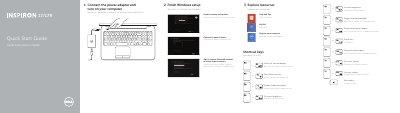
This Quick Start Guide covers initial setup for Dell Inspiron 3721, 5721, 3737, and 5737 notebooks. It describes connecting the power adapter, turning on the computer, finishing Windows setup, and accessing help resources such as My Dell, computer registration, security and updates, Microsoft account sign-in, and network connection.
The guide also lists keyboard shortcut keys and identifies the notebook features and ports, including the camera, microphone, power button, power-adapter port, HDMI port, network port, USB ports, headset port, touchpad, status lights, media-card reader, optical drive, and security-cable slot.
Dell Inspiron 3721 specifications
| Regulatory model and type | P17E P17E001/P17E002 |
|---|---|
| Computer model | Inspiron 3721/5721/3737/5737 |
| USB 3.0 ports | 2 |
| USB 2.0 ports | 2 |
| Document date | 2013-09 |
All Dell Inspiron 3721 documents by type
The shortest path to a working setup, usually only a few pages.
Disassembly, diagnostics and part numbers, for repair.
Day-to-day operation, settings and troubleshooting. Start here if the product is already set up.
Questions answered in these manuals
How do I turn on the Dell Inspiron notebook?
Connect the power adapter and turn on your computer.
Which shortcut key switches to an external display?
Use the shortcut key listed for switching to an external display.
¿Qué modelos de equipo cubre este manual?
Cubre los equipos Inspiron 3721/5721, con modelo normativo P17E y tipo normativo P17E001.
¿Qué debe hacerse antes de manipular el interior del equipo?
Desconecte todas las fuentes de energía antes de abrir la cubierta o los paneles, y lea las instrucciones de seguridad incluidas con el equipo.
What tools are recommended for working on the computer?
The recommended tools are a Philips screwdriver and a pointed plastic instrument.
What tools are recommended for procedures inside the computer?
The manual recommends using a Phillips screwdriver and a pointed plastic instrument.