
Inspiron 15 5000 Series Quick Start Guide.
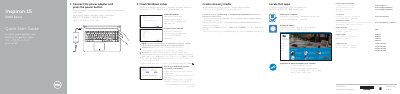
This quick start guide covers initial setup for Dell Inspiron 15 5000 Series computers, including connecting the power adapter, finishing Windows setup, enabling Dell updates, connecting to a network, signing in, locating Dell apps, and creating recovery media.
It also identifies ports, buttons, lights, and shortcut keys for the Inspiron 15-5551, Inspiron 15-5552, Inspiron 15-5555, and Inspiron 15-5558 models.
| Power-adapter port | 1 |
|---|---|
| Network port | Inspiron 15-5558 and Inspiron 15-5555 only |
| HDMI port | 1 |
| USB 3.0 port | 1 |
| Media-card reader | 1 |
| Headset port | 1 |
| USB 2.0 ports | 2 |
| Optical drive | 1 |
| Security-cable slot | 1 |
| Left microphone | Inspiron 15-5558 and Inspiron 15-5555 only |
| Right microphone | 1 |
Connect the power adapter and press the power button.
In Windows search, type Recovery, click Create a recovery media, and follow the instructions on the screen.
The network port is included on Inspiron 15-5558 and Inspiron 15-5555 only.
Enter the password for the wireless network access when prompted.