
Dell Inspiron 15 5000 Series Quick Start Guide

Inspiron 15 5000 Series Quick Start Guide.
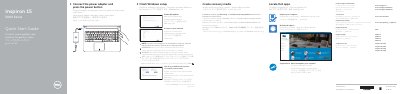

Dell Inspiron 15 5000 Series Quick Start Guide - cover page
Brand
DELL
Category
Laptops
Document type
Quick Start Guide
Language
English
Pages
2
File format
PDF
File size
541 KB
Published
19 November, 2023
Updated
19 November, 2023
MD5 checksum
B359C723F741F3966E673D20E0C83B53

About this manual

This document serves as a Quick Start Guide for the Dell Inspiron 15 5000 Series, providing instructions in multiple languages for connecting the power adapter, turning on the device, and completing the initial Windows setup. It guides users through enabling Dell updates, connecting to a network, and registering the computer.

What's inside

  • Connect the power adapter
  • Press the power button
  • Finish Windows setup
  • Enable Dell updates
  • Connect to your network
  • Sign in to your Microsoft account
  • Locate Dell apps
  • Create recovery media
  • Features
  • Shortcut keys

Frequently asked questions

What are the specific models covered by this quick start guide?

This guide applies to the Inspiron 15-5551, Inspiron 15-5552, Inspiron 15-5555, and Inspiron 15-5558 computer models.

Which models include the left microphone and network port?

The left microphone and network port are only available on the Inspiron 15-5558 and Inspiron 15-5555 models.

How many USB 2.0 ports are included in this computer?

The computer includes two USB 2.0 ports.

Download PDF (541 KB)

More DELL Manuals


View all DELL manuals →