
Key facts
Start here
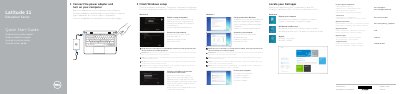
Dell Latitude 11 Education Series Quick Start Guide
This guide provides initial setup steps for the Dell Latitude 11 Education Series computer, including connecting power, completing Windows setup, enabling security and updates, connecting to a network, signing in, locating Dell apps, registering the computer, and using Dell Backup and Recovery.
It also identifies 21 numbered hardware features and points to Dell support, manuals, contact information, and regulatory details for the computer model Latitude 11-3150.
Dell Latitude 11-3150 specifications
| Regulatory model | P21T |
|---|---|
| Regulatory type | P21T001 |
| Computer model | Latitude 11-3150 |
All Dell Latitude 11-3150 documents by type
The shortest path to a working setup, usually only a few pages.
Questions answered in these manuals
Where can I find the Owner's Manual?
The guide directs users to dell.com/support/manuals for the Owner's Manual.
What computer model is listed in this guide?
The guide lists the computer model as Latitude 11-3150.
Where can I find more information about this computer?
See the Owner's Manual at dell.com/support/manuals.
From: Dell Latitude 11 Education Series (Latitude 11-3150) Quick Start Guide
What should I do when connecting to a secured wireless network?
Enter the password for the wireless network access when prompted.
From: Dell Latitude 11 Education Series (Latitude 11-3150) Quick Start Guide