
Key facts
Start here
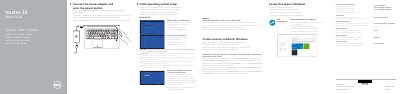
Dell Vostro 15 5000 Series (Vostro 15-5568) Notebook Quick Start Guide
This quick start guide helps set up the Dell Vostro 15 5000 Series notebook, including connecting power, finishing operating system setup, and locating Dell apps. It also lists product support and regulatory information.
The guide identifies notebook features such as ports, camera, fingerprint reader, touchpad, and speakers, and explains shortcut keys for audio, brightness, wireless, and sleep.
Dell Vostro 15-5568 specifications
| VGA port | Included |
|---|---|
| USB 3.0 port | Included |
| USB 2.0 port | Included |
| USB 3.0 port with PowerShare | Included |
| HDMI port | Included |
| Network port | Included |
| Memory card reader | Included |
| Fingerprint reader | Included |
Source: Dell Vostro 15 5000 Series (Vostro 15-5568) Notebook Quick Start Guide
All Dell Vostro 15-5568 documents by type
The shortest path to a working setup, usually only a few pages.
Questions answered in these manuals
How do I connect to a secured wireless network?
Enter the password for the wireless network access when prompted.
From: Dell Vostro 15 5000 Series (Vostro 15-5568) Notebook Quick Start Guide
How do I create recovery media for Windows?
In Windows search, type Recovery, click Create a recovery media, and follow the instructions on the screen.
From: Dell Vostro 15 5000 Series (Vostro 15-5568) Notebook Quick Start Guide
How do I start the notebook?
Connect the power adapter and press the power button.
How do I create recovery media for Windows?
In Windows search, type Recovery, click Create a recovery media, and follow the instructions on the screen.
How do I create recovery media for Windows on this laptop?
In the Windows search bar, type 'Recovery', click 'Create a recovery media', and follow the on-screen instructions.
What is the first step to start using the notebook?
Connect the power adapter and press the power button.