
Key facts
- Brand
- DELL
- Model
- Inspiron 24 5000 Series
- Category
- All-in-One Desktops
- Documents
- 5
- Languages
- EN · ES · ZH · PT
- Last added
- 2023-11-24
Start here
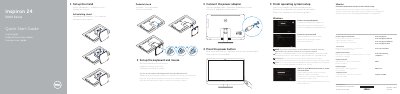
Dell Inspiron 24 5000 Series Quick Start Guide
This quick start guide is for the Dell Inspiron 24 5000 Series (computer model Inspiron 24-5459). It shows how to set up the stand, keyboard, and mouse; connect the power adapter; turn on the system; and complete operating system setup for Windows or Ubuntu.
It also identifies the computer's features and ports, lists Dell applications available in Windows, and provides tilt, regulatory, power adapter, and origin details.
Dell Inspiron 24 5000 Series specifications
| Computer model | Inspiron 24-5459 |
|---|---|
| Regulatory model | W12C |
| Regulatory type | W12C004 |
| Power supply input voltage | 100 V AC-240 V AC |
| Power supply frequency | 50 Hz-60 Hz |
| Power supply input current | 2.50 A |
| Power supply output voltage | 19.50 V DC |
| Power supply output current | 4.62 A/6.70 A |
| Country of origin | China |
| USB 3.0 ports | 2 |
| USB 2.0 ports | 4 |
| Brightness-control buttons | 2 |
| Optical drive | Optional |
All Dell Inspiron 24 5000 Series documents by type
The shortest path to a working setup, usually only a few pages.
Disassembly, diagnostics and part numbers, for repair.
Questions answered in these manuals
What should I do after turning on the computer?
Follow the on-screen instructions to finish operating system setup; for Windows, enable security and updates, connect to a network, and sign in or create an account.
Which Dell applications are available in Windows?
SupportAssist, Register your computer, Dell Backup and Recovery, and Dell Help & Support.
How do I finish operating system setup?
Follow the instructions on the screen to finish setup.
How do I create recovery media for Windows?
In Windows search, type Recovery, click Create a recovery media, and follow the instructions on the screen.
How do I update the BIOS?
Go to www.dell.com/support, enter the Service Tag, then download and run the BIOS update file.
What should I do before working inside the computer?
Save and close all open files, shut down the computer, and disconnect the power cable and all connected devices.